The shift to working home arrangements has changed how people use their home. Statistics Canada found that 90% of those who moved to remote work reported equal or higher productivity than in an office.
In many cases the kitchen table becomes a hub. Creating a dedicated zone in a small space helps them separate tasks from personal life. This clear boundary is a practical way to protect focus and time.
Establishing a routine makes the most of limited square footage and supports healthy balance between work and living. Those who adopt simple rituals find that a compact home can still sustain high output and calm daily flow.
Key takeaways: Design a distinct zone, keep rituals consistent, and use common furniture like a table to boost focus in a small space.
The Reality of Remote Work Habits for Tiny Apartments
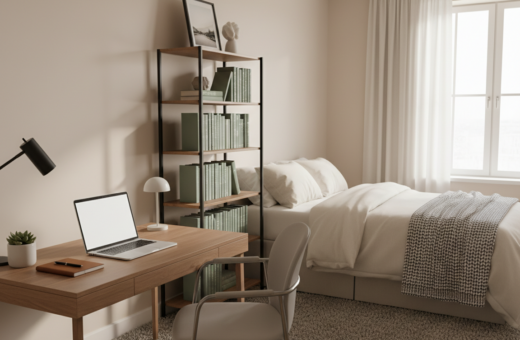
When an apartment must serve as both bedroom and desk, routines need to be deliberately rebuilt. Many people who shift to a combined living and professional area report a rise in fatigue and blurred boundaries.
Research shows 35% of those able to work remotely continue full-time, which increases pressure on limited space. Statistics Canada notes 22% of Canadians did some form of working home, underlining how common this setup is among modern workers.
- Lack of physical separation often leads to burnout and poor focus in a small apartment.
- People who treat the area as both personal and professional need fresh routines to stay productive.
- Adapting how one uses each square foot helps prevent the feeling of being trapped while maintaining output.
Defining Your Dedicated Workspace
Choosing one steady location helps the brain shift into a productive mode each day. A small, consistent workspace signals when it is time to focus and when to stop.
Choosing a Consistent Spot
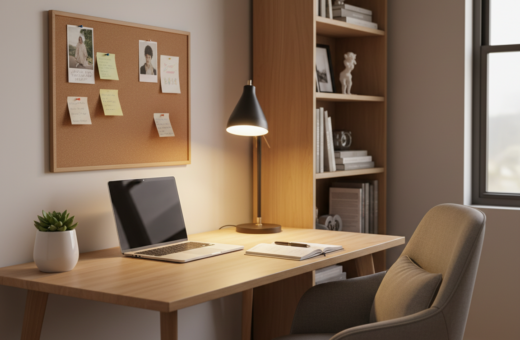
Place a desk near a window to take advantage of natural light and fresh air. This helps regulate mood and the body clock.
In an apartment, even a narrow corner works if it stays the same spot every day. Keep the area free from unrelated items so the room feels purposeful.
Keeping Essentials Organized
Group essential devices—laptop, router, and other gear—so the internet connection stays stable and clutter stays low.
- Use a sturdy desk and an ergonomic chair to stay comfortable during long sessions.
- Stack vertical storage or choose a standing option to maximize limited space.
- Store cables and chargers close by to protect the connection and keep the home office tidy.
Establishing Consistent Daily Routines
A steady daily schedule creates a clear boundary between professional hours and life at home. Setting specific start and end hours helps them keep a reliable rhythm and protect personal time.
Begin each day with a short plan and a cup of coffee at the desk. This simple ritual cues the brain to focus and reduces decision fatigue early in the day.
Many professionals close their laptop at a fixed time to mark the end of tasks. That act signals that official hours are done and reduces the urge to check email late into the night.
- Define start and stop hours and share them with household members.
- Create a short morning checklist to set priorities before diving into work.
- Reserve evening time without screens to maintain mental balance.
When routines are consistent, the home feels balanced and the day stays structured. This helps prevent work from bleeding into personal life and protects evening rest.
Utilizing Room Dividers for Visual Boundaries
A simple divider can turn a single living area into two distinct zones that support focus and daily rhythm. A clear visual split helps someone treat parts of a home like separate areas with separate purposes.
Selecting the Right Partition Type
Choose a folding screen or modular wall to mark the edge between a dining spot and a productive office nook. Lightweight screens are easy to move and store when not needed.
For more privacy, install a partition that includes a real door. A solid door reduces interruptions from pets or roommates and gives a clearer boundary than an open divider.
- Use a room divider to create a visual border that keeps the workspace distinct from the dining area.
- In a small apartment, a partition preserves living space and stops the office from spreading into the whole room.
- Modular walls with a built-in door give renters a defined limit without permanent renovation.
Well-placed boundaries help the mind switch modes. When the physical line is clear, it becomes easier to begin tasks and to end the day with less friction.
Investing in Ergonomic Furniture
Comfortable, supportive furniture turns a compact living area into a reliable office that protects health and focus.
Start with an ergonomic chair that supports the lower back. A well-made chair reduces fatigue during long hours at a desk and helps prevent pain.
A multi-functional table that doubles as a dining surface and a work desk saves precious space. Choosing a foldable or extendable model keeps the home flexible.
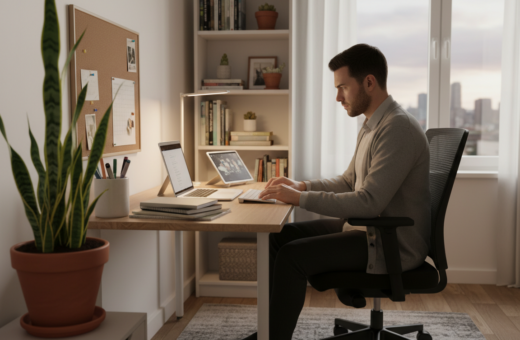
Follow the 90-degree rule: hips, knees and elbows should form right angles when seated at the desk. This simple posture rule prevents neck strain and lower-back issues.
Consider a standing desk or a laptop riser to alternate positions. Standing briefly through the day boosts circulation and keeps energy higher than sitting nonstop.
- Ergonomic chair: long-term back support.
- Multi-use table: saves space and doubles as a dining area.
- Standing or laptop stand: improves posture and alertness.
Quality furniture is an investment. The right pieces make the home feel professional and help someone do their best work every day.
Managing Noise and Environmental Distractions
Simple rules and gear can turn a chaotic room into a dependable office zone. Controlling ambient sound preserves focus and helps maintain daily productivity.
Using Noise-Canceling Headphones
High-quality headphones are the fastest way to block barking pets or loud neighbors. Good models reduce background noise and keep attention on tasks.
They also help during important video calls, when clear audio and fewer interruptions matter most.
Setting Boundaries with Roommates
Clear rules about quiet hours protect the shared workspace. Agree on times when interruptions are limited throughout the day.
- Prioritize a stable internet connection and a reliable router for smooth calls and a steady connection.
- Ask household members to manage pets and chores during focus blocks to reduce sudden distractions.
- Keep communication consistent so expectations stay clear and professional output remains steady.
Optimizing Lighting for Focus and Health
Good lighting turns a small home corner into a focused, healthy spot that supports long hours of concentration.
Position the main work spot near a window to capture natural light. Daylight boosts mood and mental focus more than harsh overhead bulbs.
Use a quality task lamp to reduce eye strain when someone reads on a screen or checks a phone. A lamp with adjustable color and brightness helps match morning and evening needs.
- Place the desk so light comes from the side, not directly into the eyes.
- Balance ambient and task lighting to avoid glare and harsh shadows.
- Regulate exposure to bright light near bedtime to protect the internal clock.
Many professionals report that a bright, well-lit home improves focus through the day. Investing in flexible lighting solutions keeps the space comfortable year-round.
Separating Digital Work from Personal Life
Establish a digital door between professional apps and private accounts so they can end the day without lingering tasks. Small changes make it easier to stop checking messages after hours.
Use a separate browser profile or a dedicated account on the main computer. This simple step signals the brain that the workspace is active only during set hours.
Keep a personal phone away from the desk during focus blocks. Turning off nonessential notifications reduces the urge to glance at the screen.
- Separate devices and accounts to cut accidental multitasking.
- Limit video calls to fixed slots to reclaim personal time.
- Use password vaults and a secure internet setup to protect company data.
- Disconnect unnecessary devices when the day ends to close digital boundaries.
- Set a physical door or marker at the workspace to reinforce the rule.
When digital lines are clear, they can protect focus and reduce burnout. A few consistent rules will help maintain a steady connection to priorities without letting professional demands overrun personal life.
Prioritizing Movement and Physical Breaks
Short movement breaks reset the body and help sustain focus across a long day. Small, regular pauses reduce stiffness and keep energy even.
Incorporating Micro-Breaks
He or she should stand and stretch away from the desk every 45–60 minutes. Moving eases pressure on the back and improves circulation after long periods in a chair.
Micro-breaks boost productivity by clearing mental clutter. A brief walk to the kitchen, a set of simple stretches, or a short breath exercise restores focus without costing much time.
- Take short pauses throughout the day to avoid physical fatigue and eye strain from a laptop.
- Move from your work spot to a different area to break monotony and reset attention.
- Consistent movement throughout day supports long-term health and keeps workers effective.
When movement is planned into the schedule, the whole day feels more balanced and energy stays steady. Prioritizing these small actions helps professionals stay present and perform well in remote work.
Leveraging Multi-Functional Storage Solutions
Using tall shelving and hidden compartments frees floor space and clears the mind. It gives the small area a purposeful layout that supports daily tasks and rest.
Vertical storage is the easiest way to expand capacity without crowding the floor. Wall-mounted shelves and pegboards lift items up and keep surfaces clean. This approach preserves usable space and reduces visual clutter.
Multi-functional furniture also plays a key role. An ottoman with hidden bins or a bench that holds supplies hides tools when the day ends. These pieces make it simple to switch from professional mode to personal time.
Keeping a clear workspace creates a more inviting home and a more professional setting. It is a practical way to protect focus and ease transitions.
- Use tall shelving to stop items from spreading across the desk.
- Choose furniture that doubles as storage to tuck supplies away quickly.
- Install wall systems like pegboards to keep tools visible but organized.
Maintaining Social Connections While Working Alone
Regular social contact gives structure and energy to days that might otherwise feel isolated. When someone spends long stretches in a home office, deliberate social plans protect mental health and career momentum.
Attending Virtual Events
He or she should block short slots of time each week to join webinars, industry meetups, or casual online chats. Virtual events let professionals meet new people and exchange ideas without a commute.
Tip: Use a calendar reminder and treat the session like an in-person meeting.
Scheduling In-Person Meetups
Setting up occasional coffee catch-ups or co-working sprints helps sustain a sense of community. Meeting in person reinforces ties that keep motivation steady and reduces the sense of isolation.
- Attend virtual events to expand networks and learn new strategies.
- Plan regular coffee meetups to recharge social batteries.
- Build a peer group to share challenges and celebrate wins.
For strategies on tackling loneliness and building meaningful connections, see this complete guide. These social steps make a solo routine feel more balanced and sustainable.
Conclusion
Smart tweaks and simple rules can make a compact room feel like a calm, professional workspace. Balance, clear boundaries, and steady routines protect time and energy. They let people treat a small home area as an efficient office without stress.
Investing in the right devices, a reliable router, and a stable internet connection keeps calls and tasks seamless. Short breaks at the desk, good lighting, and vertical storage boost comfort and productivity. For practical setups and space-saving ideas, see these home office solutions.