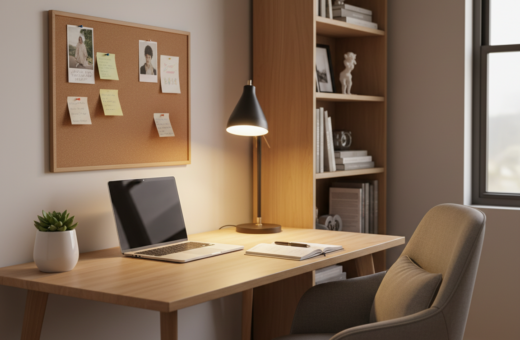
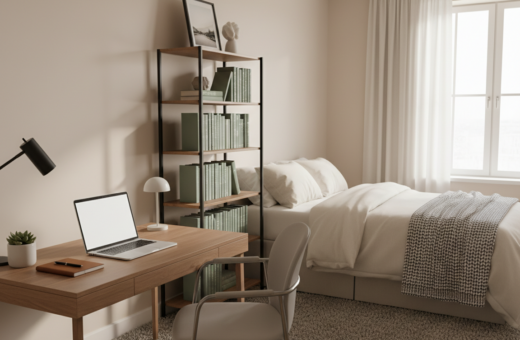
Jeff had used a built-in desk in the family area as his primary home office for over a year. He found that making the most of a compact space helped keep his workspace productive and calm. The challenge was balancing work tools with the rest of the home, so planning became essential.
When the desk sat in a common room, clutter and cords often gathered. Professional organizers said the best way was to assess what things were truly needed each day. Simple organization ideas—like a dedicated charging station and a wall-mounted power strip—cut the mess and kept the top surface clear.
Maintaining a tidy area saved time and reduced stress. These small tips made it easier to switch off after work and kept the family space welcoming. With intent and a few smart moves, a shared setting could support focused work and a relaxed evening.
Assessing Your Living Room Home Office Organization
Start by listing what tasks must happen at your desk each day. That quick audit helps define what tools and essentials belong in the nearby drawers, what can live in a file box, and what should be stored out of sight.
Defining your functional needs
“Keep items you use daily within easy reach from your chair,” said Carly Cicero of Cicero Design Group.
Use that guideline to sort office supplies by frequency. Daily items stay on the surface or in the top drawer. Less-used supplies move to closed storage or modular boxes.
Choosing the right spot for your desk
Check whether the current table or built-in desk fits those needs. If the dining table collects paperwork, designate a dedicated spot for the workspace. A clear, consistent place reduces clutter and makes transitions between work and living easier.
- Evaluate storage: do drawers and a file cabinet serve your workflow?
- Remove items that don’t support productivity or a tidy surface.
- Use modular organizers to tuck supplies away when not needed.
Clearing the Clutter from Your Workspace
Clearing every item from the desk lets someone take a full inventory and avoid feeling overwhelmed. Julie Dykema of The Container Store advises removing everything so supplies and papers can be sorted with purpose.
Amy Kalikow of Amy Kalikow Design notes that clean, uncluttered spaces reduce distractions and create better backgrounds for video calls. Whitney Leigh Morris adds that knowing what is truly needed keeps a compact work area productive.
Use a box to gather loose items from the desktop. Sort into keep, store, and recycle piles. That quick triage turns a messy surface into a clear starting point for daily tasks.
“Keep your workspace simple and personal to minimize distractions during your work day.”
Simple tips help long-term upkeep: group cords, file loose papers, and give each item a designated place. For more decluttering methods, see decluttering strategies for a small workspace.
- Empty the surface and take inventory.
- Use a box to sort things quickly.
- Assign homes for essential items to save time later.
Implementing Smart Storage Solutions
Smart storage turns a crowded desk into a calm, efficient workspace. The right choices free the top surface and make daily tasks faster.
Utilizing Vertical Space
Raise the monitor with a glass riser, such as the Quartet model. This creates storage under the screen and gives a dry-erase surface for quick notes.
Install a wall shelf or vertical organizer to keep supplies off the desktop and in easy reach.
Maximizing Drawer Dividers
Use Poppin desk organizers to divide drawers so every item has a place. Dividers keep pens and paper clips from mingling.
Maximize drawer capacity by grouping office supplies and folders. When things are separated, finding a file or clip is fast.
Choosing Hidden Storage Options
Hide clutter in decorative boxes or a file box for important papers and folders. A dedicated charging station can hold an Apple Watch, AirPods, an iPad, and up to three phones at once.
These storage ideas reduce visible cords and keep the area tidy so the desk functions well as both a work and shared space.
- Use a monitor riser to free desktop room.
- Divide drawers with organizers for quick access to supplies.
- Choose hidden boxes and a charging station to tame clutter.
Managing Cord and Cable Chaos
When cords multiply, a few targeted products kept the work area neat and usable. Tackling cable clutter was a key step to make the desk feel professional and calm.
Start with a clear plan: mount power where cords begin, label each cable, and anchor chargers so they do not slip behind furniture.
Tools that make a difference
- Wall-mounted power strip: a Belkin-style unit with four regular outlets and four USB ports keeps plugs off the desktop and reduces visible mess from cords.
- Velcro cable labels: branded Velcro ties and labels let someone identify which cord powers each device in seconds.
- Adhesive cable holders: stick these to the desk surface to stop charging leads from sliding away.
- Cable management box: hide excess lengths and the power strip inside a low-profile box to cut visual clutter.
“A few simple items can turn a tangled bundle into a tidy system.”
Using these tools made the desk easier to use and kept small items from piling up. The result was a cleaner space that supported focused work even in a shared area.
Taming Paper Clutter for Good
When papers stack up, a weekly triage and a handheld scanner change everything. A quick 20–30 minute session each week lets someone sort incoming papers into actions, files, or recycle piles.
Digitizing with a handheld scanner reduces the need for bulky drawers and file cabinets. Once scanned, documents can live in cloud storage and free the top of the desk for daily tasks.
For backups, Backblaze offers daily automated laptop copies so digital files remain safe. That extra layer of protection makes shredding less risky.
“A consistent weekly habit keeps small piles from becoming permanent clutter.”
- Set one table or tray for incoming mail and papers to keep the desk clear.
- Scan receipts and folders, then shred what’s no longer needed.
- Store essential files digitally and label folders for fast retrieval.
These steps create more usable space and save time during the work day. A steady routine keeps papers under control and lets the person focus on their professional tasks.
Enhancing the Atmosphere of Your Desk Area
Small changes to lighting and decor can transform a desk into a productive retreat. This section focuses on simple, practical ways to make the area feel inviting without adding clutter.
Lighting Tips for Productivity
Position the desk near a window when possible to use natural light for mood and focus. If a window is not available, add a high-quality LED lamp with warm-to-cool settings.
Task lighting reduces eye strain during long video calls and makes the desktop easier to scan. Mount a slim wall sconce to free surface space and keep the top clear.
Adding Personal Touches
Keep a few meaningful items on display to make the workspace feel personal. A small plant, a framed photo, or a favorite mug adds warmth without creating paper or drawer clutter.
Comfort items can also support routine: the Ember smart coffee mug keeps beverages at the right temperature so breaks feel satisfying. Use a stylish tray to corral essentials and let personal decor stand out.
“Design choices that respect function make a desk area calm and productive.”
- Choose lighting that matches tasks and time of day.
- Limit visible items so decor enhances rather than distracts.
- Use trays and wall fixtures to keep the surface tidy.
Establishing Daily Habits for a Tidy Space
Spending five minutes each evening resets the desk and saves time later. At day’s end, put loose papers into their file or storage boxes and close any open folders.
Return pens, paper clips, and other office supplies to drawers or organizers. That small act makes mornings faster and reduces the chance of a messy top when work resumes.
Quickly check the charging station and tidy cords so they don’t become a tangled pile. A fast sweep of cables and a glance at the plug strip prevents buildup over a week.
When papers arrive during the day, sort them immediately into action, file, or recycle piles. Daily sorting keeps stacks from growing into an overwhelming task.
“A tidy desk is a productive desk.”
- Clear the surface each evening (5 minutes).
- Return items to drawers and labeled boxes.
- Inspect cords and charging station weekly.
These habits make the workspace ready for work each morning and reflect a consistent, efficient way to care for the desk.
Conclusion
Intentional storage and simple routines free up time and mental space. A clear plan makes a compact home office work well. Keep only essentials on the desk so focus stays strong and tasks move faster.
Assess needs, add the right storage, and tuck things into a drawer or box each day. Manage cords and papers so the desk serves work without taking over shared areas. Small steps reduce churn and save time.
Commit to brief daily maintenance. When the desk holds only vital items, the office feels calm and productive. That steady habit pays off in more focus and a friendlier home for everyone.