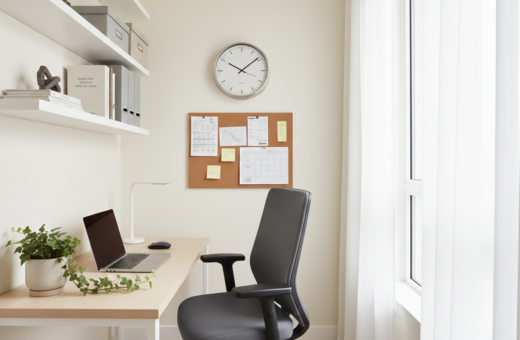
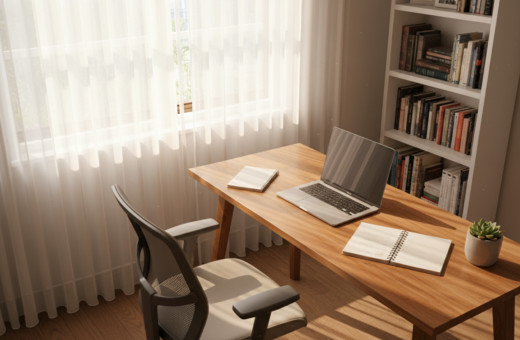
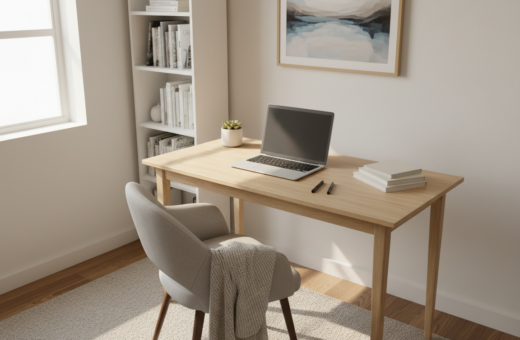
Remote workers can craft a polished on-screen presence in under an hour and often for less than $50. With smart camera placement and tidy lighting, a compact area becomes a professional backdrop that hides the rest of the home.
Most people only need a 4×4 foot frame, a simple desk or table, and attention to a neutral wall or curtain. This approach keeps clutter out of the camera frame and makes the head-and-shoulders view read as intentional.
Strategic lighting from a window or a low-cost lamp lifts skin tones and reduces harsh shadows. A plain wall, a subtle backdrop, or a single plant gives a clean look without a lot of gear.
These ideas save time and stress before an important meeting. They prove that size of the room is not the part that matters—framing and light are the secret to looking composed on every Zoom screen.
Understanding the Professional Aesthetic
A tidy onscreen composition starts by deciding which elements belong within the frame and which do not. This first choice sets the visual priority and helps the viewer focus where it matters most.
Visual hierarchy keeps the face as the main element. Place decorative items, like books or plants, lower or to the side so they do not compete. If bookshelves sit behind the subject, reduce their visual weight by removing bright covers.
Depth and polish
Standing a few feet from a plain wall creates breathing room and avoids a cramped look. A simple fabric backdrop for about $15 tames bold paint or busy patterns.
- Establish a clear focal point so the viewer’s attention stays on the person.
- Add layered elements at different distances to prevent a flat composition.
- Use neutral colors to keep the office or room from stealing focus.
Professional backgrounds share intent: they are curated, not overcrowded. With a few small changes, any space reads as more polished on video.
Assessing Your Small Apartment Video Call Background Setup
Begin by scouting the room at different times of day. Walk around and note where natural light falls and where shadows form. That helps identify the best place for meetings.
Measure the chosen wall or area. You only need 4 to 5 feet of width behind you to create a professional zoom background. This width is often narrower than a closet.
Fix camera height quickly with a cheap stand. A $12 laptop stand brings the camera to eye level, preventing awkward angles. Position the camera so the eyes land in the top third of the screen.
- Test frames at the same time you normally have meetings to check light and noise.
- Keep a dedicated work spot that hides the rest of the home from view.
- Make sure nothing above the head leaves more than 2–3 inches of empty space.
Strategic Camera Placement for Tight Quarters
A well-placed camera makes a compact workspace read as intentional and professional. In cramped spaces, distance and angle shape how others perceive the person on screen.
The Arm Length Method
The arm length method is simple: extend an arm straight ahead and make a fist. If the camera sits near that point, the face and shoulders fall into a natural frame.
“Positioning the camera at arm’s length keeps the head from being cut off and avoids too much empty space above.”
- Using the arm length method helps maintain proper framing without chopping the head.
- Keep the camera straight ahead, not at a side angle, so the speaker appears focused and engaged.
- A $12 laptop stand lifts the camera to eye level on the desk for a stable, professional home office.
- Sit so the shoulders are visible and the eyes land in the top third of the screen to balance the shot for any zoom meeting.
Mastering Natural Light Sources
A simple change in position near a window can dramatically improve on-screen presence. Morning light from an east-facing window gives soft, flattering illumination. Afternoon sun from the south delivers steady, even brightness that works for longer meetings.
They should face the window or sit at a 45-degree angle so light hits the face from the front or the side. Sitting with the window behind them will create a dark silhouette and ruin the professional look.
Practical tips:
- Use a white sheet to diffuse harsh sun on bright days and soften shadows.
- Overcast skies often produce the most forgiving natural light, making a compact room look more polished.
- Map where light falls in the home at different times to choose the best office spot.
“A small shift toward the window often fixes lighting problems without extra gear.”
Budget Friendly Lighting Techniques
Good lighting need not be costly. The goal is even, flattering illumination that keeps attention on the person and not the room. Use natural light when possible, then enhance it with inexpensive tools.
Bounce Light Techniques
Point a $15 clip-on desk lamp at a white wall to create soft bounce light. The reflected light wraps the face and reduces harsh lines better than direct beams.
Adding a white poster board opposite the lamp increases fill and works well in rooms with a single window.
LED Bulb Selection
Choose a daylight LED in a desk lamp. Position the lamp slightly above eye level and to one side so the face reads naturally on the camera.
A single LED bulb and a reflective board deliver professional results for under $30.
Avoiding Overhead Shadows
Avoid relying on ceiling lights alone. Overhead ceiling light casts unflattering shadows under the eyes and nose.
- Aim a lamp at a nearby wall rather than directly at the head.
- Keep most light in front or to the side of the face to prevent silhouettes.
- Remember: ring lights get a lot of attention, but they aren’t required when natural light and bounce techniques are used well.
Eliminating Visual Clutter
Even when belongings can’t be moved, reframing the shot preserves a polished on-screen presence.
Make sure the visible area is intentional. Remove obvious distractions like laundry piles, unmade beds, or dishes so the viewer stays on the speaker and not the room.
When messes cannot be relocated, reposition the camera to exclude them from the frame. A slight shift left or right often hides problem areas without much effort.
In just a few square feet, a tiny shelf, a plant, and a simple lamp form a clean backdrop. These three elements add depth and character without crowding the scene.
- Keep the wall behind the subject neutral and uncluttered.
- Create a dedicated zone in the office that reads as purposeful on the screen.
- Choose only items that support the speaker’s message and remove the rest.
“A clean, distraction-free backdrop keeps attention on the person and the message.”
Creating a Dedicated Filming Zone
A compact filming corner with fixed props gives a reliable, professional look every time.
They should claim a single corner of the bedroom or home office as the dedicated space. Placing a table and a lamp there creates an instant backdrop that reads as intentional on the screen.
Keep items minimal: a table, a plant, and one shelving unit or a few floating bookshelves add depth without clutter. A warm table lamp softens the wall and gives a welcoming tone for video calls.
Consistency matters. Using the same corner for all meetings removes last-minute changes and keeps the camera framing predictable for zoom and other platforms.
- Choose a corner with a plain wall and steady light.
- Limit visible objects to two or three curated pieces.
- Arrange a desk or table so the camera captures the person and a tidy backdrop.
“A dedicated zone saves time and helps maintain a professional image.”
Sound Management in Small Rooms
In compact rooms, sound bounces quickly and can undermine an otherwise polished presentation. Hard surfaces like a bare wall and hardwood floors send echoes across the room. That echo distracts people and makes speech harder to follow on the screen.
A few low-cost fixes work well. Draping a thick blanket over a chair behind the camera absorbs sound waves. An area rug under the desk does the same for floor reflections. These simple pieces of furniture help the office or home sound more professional during meetings.
Prevention beats correction: schedule important conversations when other people are out. Place a small “recording” sign on the door to stop interruptions during calls. Use platform noise-canceling features, but rely on soft materials first to improve raw audio.
“A thick blanket and a rug often reduce echo more than software alone.”
- Use blankets or textiles to absorb reflected sound.
- Place rugs to tame floor bounce and reduce distractions.
- Mark the door to protect quiet time for Zoom and other calls.
Utilizing Room Dividers and Curtains
A simple divider or a hung curtain can instantly turn a shared area into a presentable on-screen zone.
Folding screens cost about $40 and provide a portable, tidy backdrop that hides the rest of the home from view. They open and fold in minutes, so they work for renters and people who move their office often.
Mounting curtain rods to the ceiling and hanging fabric panels creates flexible walls. This solution takes roughly 30 minutes to install and lets them open or close the fabric as needed.
Both options make it possible to control what appears behind the speaker. Use a neutral panel or a curated fabric to keep the wall behind the desk calm and professional for zoom and other calls.
- Room dividers create an instant background and hide the rest of the home from view.
- A folding screen is portable and affordable, ready in a few minutes.
- Ceiling-mounted rods with fabric act as flexible walls and take about 30 minutes to install.
- These fixes work well when the bedroom, office, and living room share the same space.
“Using a room divider ensures the backdrop remains consistent and professional, no matter what’s happening beyond the frame.”
Implementing Virtual Backgrounds Effectively
When natural options are limited, virtual tools can rescue a tight on-screen space.
Start with steady lighting and a fixed position. Good light and a stable seat reduce masking errors. Moving to one side or leaning can make a shoulder vanish or create odd edges on the screen.
Most platforms include a blur feature. That softens the room without the artificial look of a stock office. For many people, blur reads as more professional than an obvious faux backdrop.
If choosing custom images, match the scene to the industry and keep it simple. Avoid animated or video backdrops; they distract and often scale poorly on Zoom and other platforms.
- Virtual options need good lighting and minimal movement to avoid glitches.
- Background blur is an easy way to hide a messy bedroom or wall.
- Limit gestures; large arm motions can make hands look transparent.
“A real, well-arranged backdrop almost always looks better than a fake one.”
Building a Portable Video Kit
A compact, portable kit gives someone the tools to look consistent and professional no matter where they choose to work at home. It focuses on quick setup, reliable lighting, and a tidy backdrop that travels with them.
Core components for under $60 include a laptop stand, a clip-on LED light, a length of backdrop fabric, an extension cord, and headphones. Battery-powered LED panels cost about $25 and provide flexible lighting that fits any corner.
- Keep a folding lap desk and a plant on a rolling cart so background elements move easily with the desk.
- Store the kit in a small box to tuck under a bed or inside a drawer when not in use.
- Practice a five-minute routine: place the laptop on the stand, clip the LED light, hang the fabric, and check the camera angle.
“A portable lighting setup ensures you always have the right light for your calls.”
For a step-by-step guide to building a compact, reliable kit, see this portable video studio guide. With these pieces, any desk or table becomes a professional office in minutes.
Solving Common Spatial Challenges
Tight corners and odd walls can be turned into an asset with a few clever choices. The goal is one clean zone that reads as intentional on screen.
If there’s no neutral wall, hang a large bedsheet, fabric panel, or a poster board behind the camera for under $10. That simple backdrop hides clutter and flattens bold paint or patterns.
Limited outlets? Use a power strip so lights and camera can sit where they work best. Position cords safely and keep the strip out of sight to reduce distractions.
Slanted ceilings are useful. Sit so the slope shows at an angle behind you, not directly above your head. That adds depth and avoids odd shadows.
- Create a schedule for shared rooms so the person has access to the corner when needed.
- Accept that parts of the home get messy; focus on the tidy zone for calls and ignore the rest.
- Be creative with a board, a plant, or a lamp to make the office look deliberate and calm.
“By choosing one curated corner, they can overcome most spatial limits and keep a professional look on every Zoom call.”
Adjusting Camera Settings for Clarity
A few quick camera adjustments often turn a dim frame into a clear, professional image. Most conferencing platforms let the user tweak brightness, contrast, and saturation to compensate for weak lighting in the home office.
Use the controls to prioritize the face. Raise brightness gently and add contrast until skin tones look natural on the screen. Reduce saturation slightly if the wall or objects behind the person are busy.
- Adjust brightness and contrast to improve clarity during a meeting.
- Lower saturation to keep the focus on the face and not the room.
- Test angles—tilt the laptop back a bit to hide desk clutter or tilt forward to avoid too much empty space above the head.
- If they use a higher-end camera, they will get more granular control than a basic laptop camera.
- Prefer a stable connection over max resolution; drop quality if the network struggles to keep the zoom stream steady.
“Always check the frame before joining to ensure the head and shoulders sit correctly for a professional meeting.”
Maintaining Your Setup Over Time
A few minutes each week keeps the filmed corner looking intentional and camera-ready. They should make sure this routine fits into their regular office habits so the area stays polished over time.
Dust the backdrop area weekly with a microfiber cloth. It takes about two minutes and prevents dull, dusty walls from showing on screen.
Check the desk and camera position before important calls. Roommates or kids may nudge a lamp or shift a plant, so a quick glance saves awkward moments on Zoom.
- Weekly care: dust the visible wall and props to preserve a neat background.
- Seasonal refresh: swap a plant or change books to keep the backdrop fresh.
- Quick pre-meeting check: confirm the camera and desk are where they belong.
“By spending a few minutes on maintenance, the space stays ready for the next important meeting.”
Exploring External Professional Alternatives
When home options fall short, an outside workspace can salvage a high-stakes meeting. Coworking spaces rent by the hour and often include reliable internet, neutral backgrounds, and steady lighting for a professional on-screen presence.
Cost and convenience: day passes generally run $15 to $30. For important client meetings, a short trip to a coworking space buys a quiet room and a controlled backdrop. Libraries are a free alternative; many offer private study rooms that work well for video calls.
- If the home office truly does not work, consider a coworking pass for high-stakes meetings.
- Coffee shops work for casual chats but rarely provide steady light or privacy for formal calls.
- Decide between day passes and memberships based on how often they need an external space.
- Stepping into a dedicated room can improve sound, screen framing, and camera confidence.
“Sometimes the best way to look professional is to step out of the room and into a dedicated work environment.”
Conclusion
Finishing with intentional choices makes the on-screen presence feel practiced rather than accidental. By focusing on camera placement, steady light, and a curated background, they can look composed for every video meeting without renovating.
One tidy space and a warm lamp or plant form an effective backdrop. Consistent habits keep the office corner reliable and quick to ready.
Whether using real backgrounds or a subtle zoom background, the goal is the same: clarity that supports the speaker. Small changes matter, and they don’t require a big budget — just a plan and one improvement started today. For high-stakes calls, stepping into a rented room or a quiet coffee spot also works well.