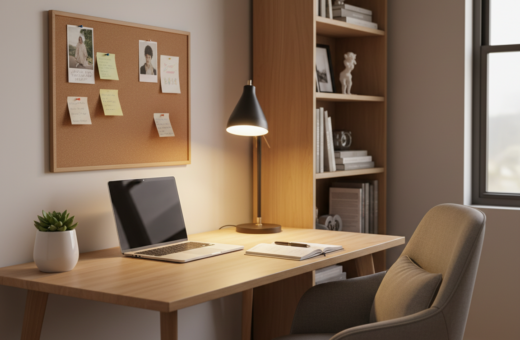
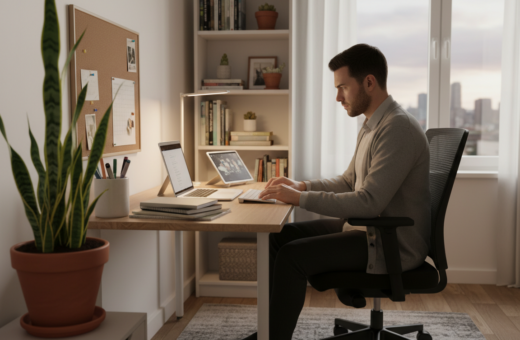
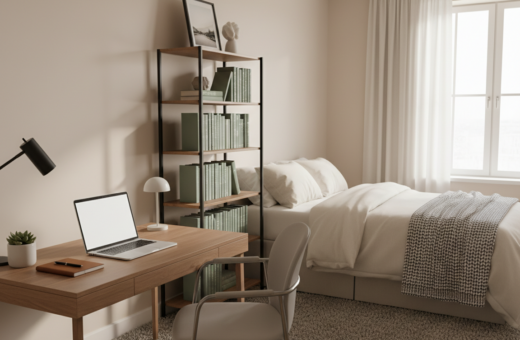
The look and feel of a small workspace can change how well someone focuses. This introduction outlines how light choices shape mood, reduce eye strain, and help a person stay sharp while they work.
Modern options like the Edge Light 2.0 desk light let users match brightness and color to mimic natural light. Studies link real daylight to better mood, lower stress, and higher productivity in a home office.
Good office lighting and well-placed desk lamps, task lighting, and ceiling fixtures cut glare on the computer and ease strain on the eye. Simple design choices can make a compact desk area feel larger and more professional.
This guide will explore practical office lighting ideas and show how the right mix of natural light and artificial lights helps someone stay focused throughout day.
The Impact of Lighting on Concentration
When a bright screen sits in a dark room, the eyes work harder and concentration slips. Balanced ambient lighting reduces contrast glare and stops visual fatigue from taking hold during long work hours.
Good lighting in a compact office makes sustained focus possible. Proper brightness and color reduce eye strain and support mood, so the workspace feels less tiring and more inviting.
- Use ambient lighting to soften the gap between the computer screen and the room.
- Add a desk task lamp and ceiling fixtures to cut shadows and glare.
- Manage light color and intensity to keep eyes comfortable over long hours.
- Arrange lamps and fixtures to eliminate harsh reflections on the screen.
Technical Specifications for the Best Lighting for Productivity at Home
Technical details like Kelvin values and lumen counts shape how light supports focus in a compact workspace.
Color Temperature and Kelvin Scales
Color temperature is measured in Kelvin (K). Values between 4000K and 5000K suit coding and detail work. Higher ranges, around 5000K–6500K, simulate daylight and boost alertness.
Understanding Lumens and Brightness
Lumens indicate how bright a light source is. Aim for 700–1000 lumens for reading or writing tasks at a desk. Adjustable desk lamps let users tailor brightness to specific tasks.
- Choose LED fixtures with CRI ≥ 80 so colors render true.
- Flicker-free LED technology reduces eye strain during long hours.
- Mix ceiling and task lights to balance ambient and focused illumination and cut glare on the screen.
For more detailed setup tips on home office lighting, see this guide: home office lighting.
Balancing Natural and Artificial Light Sources
A thoughtful mix of daylight and artificial sources makes a compact workspace feel steady and calm. Positioning near a window lets the room benefit from natural light while blinds or curtains control glare on the screen.
Daylight is valuable for mood and alertness, but it must be tempered. When sun is strong, diffuse it. Sheer curtains or adjustable blinds soften direct rays and cut reflection on monitors.
Positioning Your Desk for Daylight
Place the desk so light comes from the side or slightly behind the screen. This reduces harsh reflections and lowers eye strain during long work time.
- Use monitor-mounted bars like the ScreenBar Halo 2; it offers about 500 lx of desk coverage and adds a soft backlight to reduce wall contrast.
- Combine ceiling fixtures and desk lamps so the room stays even when natural light fades.
- Choose adjustable fixtures and dimmable lamps to match changing day color and intensity.
- Manage room layout so light shifts do not force the eye to work overtime.
For practical setup ideas and deeper guidance on mixing sun and electric sources, consult these lighting design strategies.
Optimizing Lighting for Specific Work Tasks
Small, focused changes let a compact desk move easily between computer work, reading, and video calls.
Lighting for Computer Work
Position a desk lamp to the side of the screen to cut glare and reduce eye strain. Adjustable heads like the Edge Light 2.0, with five pivot points, help aim light at detailed work without reflecting on the screen.
Best Practices for Reading and Writing
A bright, focused source of at least 700 lumens makes text crisp and reduces strain. Use a dedicated task lamp and keep ceiling fixtures on for even room coverage.
Professional Setup for Video Conferencing
Soft, even front light removes shadows and gives a clear on-camera appearance. A ring light or adjustable panel placed behind the camera delivers natural tone and consistent color throughout day.
- Tip: Use desk lamps to switch between tasks quickly.
- Tip: Combine ceiling lights with task lamps for balanced room light.
- Tip: Aim lights to avoid screen reflections and long hours of strain.
Managing Glare and Eye Strain in Compact Spaces
Compact work areas demand careful control of reflections and steady light to keep the eye comfortable. Glare on the screen or bright patches on the wall pull attention away and raise eye strain.
Use an asymmetric optical design in monitor lights to aim illumination at the desk while leaving the screen dark. This reduces annoying reflections and keeps the monitor contrast steady.
Choose LED fixtures with stable drivers to prevent micro-flicker. Flicker-free LED tech cuts headaches and long-term strain during long computer sessions.
“Small adjustments to direction and stability of light can have an outsized effect on focus and comfort.”
- Place a desk lamp to brighten the task area without hitting the screen.
- Combine ceiling fixtures and wall-mounted lamps to spread brightness evenly across the workspace.
- Control color and intensity so the office feels calm and easy on the eye.
Practical idea: test one change at a time—swap a lamp, adjust angle, then check how the screen reads. Small steps often solve glare and strain in tight spaces.
Selecting Fixtures for Small Home Office Environments
Fixture choice directly influences comfort and focus. In a compact home office, fixtures must deliver even coverage without crowding the desk or the view.
Start by choosing between task and ambient light. Task fixtures give focused beams for reading and detail work. Ambient lights fill the room and reduce contrast that causes glare.
Choosing Between Task and Ambient Lighting
Hang ceiling fixtures 30–36 inches above the desk so the entire work area gets light without harsh spots. This height keeps the screen contrast steady and eases eye strain.
- LED recessed lights such as a 5-Pack that provides about 1100 LM pair well with dimmers to control brightness.
- Pendants or ceiling mounts change the room’s design while saving desk space.
- A quality desk lamp remains essential for directed task light and quick adjustments.
Balance the size of the lights with the scale of the space. Mix ceiling fixtures with desk lamps and small panels to create layered office lighting that supports work and mood.
For more practical office lighting ideas, see this short guide on home office lighting ideas.
Conclusion
A well-tuned mix of desk and room lighting helps people keep focus in a small office and supports steady workflow. This short guide showed how light choices change mood and comfort during long hours.
Balanced ambient and task light cuts glare, eases eye strain, and boosts overall productivity. Simple swaps and dimming let the setup adapt to different types of work.
Investing in quality fixtures and testing a few layouts will improve daily comfort. Good lighting and thoughtful placement make a compact home workspace feel calm and reliable. Consider this a practical nudge toward better home office lighting.