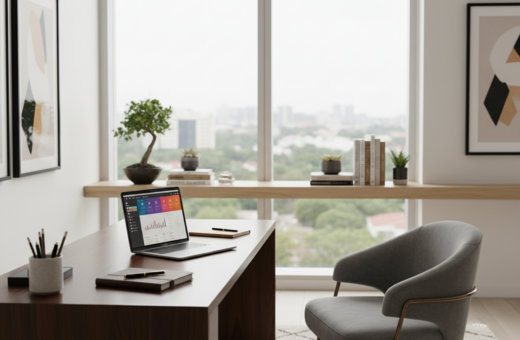
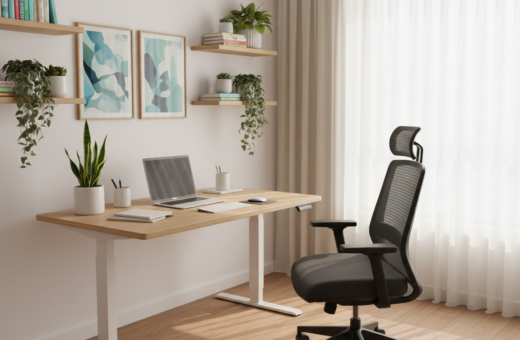
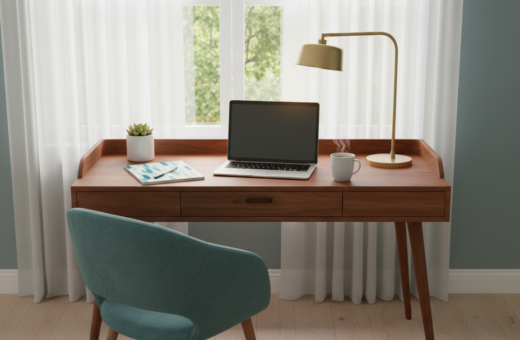
Creating a dedicated home office space helps people focus and feel ready to work. Remote workers report that a tidy workspace, a solid desk and a good chair change how they spend the day. A 2003 ergonomics study even linked an ergonomic chair to a 17.7% rise in productivity over typical work hours.
Small, targeted items make a big difference. A laptop stand brings the monitor to eye level. An ergonomic keyboard and a proper mouse reduce wrist strain. Good lighting lowers eye fatigue and keeps stress down during long sessions.
Simple solutions — like the $25 Ikea Skådis pegboard, smart control devices for privacy, or a wrist rest — let anyone turn a table into a functional desk. With one or two thoughtful additions, the workspace becomes more comfortable, productive, and easier to manage every day.
The Importance of Curating Your Workspace
A thoughtfully arranged workspace helps people switch from living mode to focused work quickly. Curating that space is a small time investment that pays off in productivity and mental clarity during long hours at the computer.
Organization matters. Interior designer Alex Kalita recommends the Bigso Light-Gray Stockholm Desktop File to keep papers tidy and reduce visual clutter. A neat desk makes it easier to start the work day and find essential items fast.
Consider how the light in the room hits your monitor and where glare appears. Position the table or desk so the screen and light work together to reduce eye strain and improve comfort.
Privacy is another key factor. A private workspace cuts interruptions and helps concentration when working home. Small barriers, screens, or a dedicated wall can create a calm place to focus.
- Use multifunctional furniture to save space and hide items.
- Add a bit of personal decor—art prints or a plant—for comfort.
- Adjust chair, mouse, and monitor position to lower back and wrist strain.
With one or two thoughtful items—a stand, a wrist rest, or a compact storage box—any room can become a productive and comfortable workspace.
Essential Cheap Home Office Upgrades for Productivity
Smart, affordable choices let a worker improve comfort and focus in a single afternoon. Start with a plan so every item earns its place in the workspace.
Prioritizing Essentials
Make sure the monitor and chair position reduce neck and back strain. A good stand lifts the screen to eye level and a supportive chair protects the back during long hours.
Pick one high-impact item first: an ergonomic keyboard or a quality mouse can cut wrist strain and keep work moving.
Setting a Budget
Look for second-hand pieces or online marketplaces to stretch the budget. A fresh coat of paint or new handles can turn an old table into a stylish desk.
- Lighting: a desk lamp reduces eye fatigue across the day.
- Privacy: simple storage hides the computer and files when work ends.
- Space options: choose furniture that doubles as storage in a small room.
Improving Posture with Laptop Risers
Raising your laptop screen can stop chronic neck strain and make long workdays far more comfortable.
“Bring your screen to eye level to prevent neck pain and tension headaches.”
Lightweight and portable options like the Moft Invisible Laptop Stand ($20) suit people who travel.
For a steady, everyday base, the Boyata Laptop Stand ($30) holds a laptop firmly at the right height.
Make sure hips, knees and elbows form 90-degree angles when seated. Keep the keyboard and mouse on the desk so arms stay neutral and wrists rest naturally.
- Raise the monitor to reduce looking down — this cuts a lot of neck strain.
- Organize the desk to protect privacy and give clear space for a mouse and keyboard.
- In a small room, include a dedicated stand and adjust light and wall placement for better focus.
One small stand can transform comfort and boost productivity during long hours of computer work.
Enhancing Comfort with Ergonomic Seat Cushions
The right cushion shifts pressure and encourages better posture all day. A supportive seat helps reduce lower back strain during long hours at the desk.
When designing a productive workspace, the seat matters as much as the monitor and keyboard. Small changes in cushion material and tilt can change how someone feels after a full work day.
Choosing the Right Material
Memory foam molds to the pelvis and can relieve pressure points. The Aylio Coccyx Orthopedic Comfort Foam Seat Cushion ($60) is recommended by chiropractor Randi Jaffe to improve posture and distribute weight evenly.
Firm support keeps the pelvis in a forward tilt. The BackJoy SitSmart Fabric Core Traction Cushion ($64) promotes that tilt to lower lower-back pressure.
- Use an ErgoFoam Ergonomic Footrest ($36) to keep knees at 90 degrees and support feet.
- Pair a cushion with a laptop stand so the monitor height matches eye level.
- When upgrading a chair, make sure the cushion supports the back to avoid fatigue.
One comfortable seat can boost productivity and make working home more sustainable over time while preserving privacy and personal space when the day ends.
Managing Cables for a Cleaner Desk
Taming cables is one of the quickest ways to make a desk feel calmer and more usable. A neat cable layout reduces visual clutter and helps people stay focused during the work day.
“Messy office spaces with tangled wires can distract you from your work and decrease your overall productivity.”
Simple tools like cable clips, Velcro straps, and a small under-desk tray keep computer and monitor cords out of sight. When someone routes power and data lines behind a laptop stand, the surface clears fast.
Make sure to bundle related cables together and label power leads for quick fixes. This design choice frees up space for a laptop, keyboard, and mouse. It also protects privacy by making the desk look ready for video calls.
- Use clips to anchor cords along the back edge of the desk.
- Bundle cables with Velcro to avoid tangles over time.
- Place a slim tray under the desk to hide adapters and power strips.
Spending a little time on cable management returns big benefits in productivity and in how inviting the workspace feels. One tidy desk makes it easier to focus and enjoy each work session.
Utilizing Vertical Space with Pegboards
A single pegboard can clear a cluttered desk and keep essentials right where you need them. For many people setting up a productive home office, a vertical system saves surface area and reduces distraction.
Installation Tips
Choose a wall near your desk and mark studs for secure mounting. The Ikea Skådis Pegboard costs about $25 and fits most small setups.
Mount it at a height that aligns with your monitor and eye level. This makes reaching frequent items quicker during the work day.
Customizing Your Layout
Think modular. Use hooks, baskets, and small shelves to hold a laptop stand, keyboard, mouse, pens, and chargers without crowding the desk.
David Eardley recommends pegboards as a more design-conscious choice than floating shelves for a neat, stylish workspace:
“Pegboards are a flexible alternative that blends utility with visible design.”
- Store computer accessories and cables to protect privacy on video calls.
- Place most-used tools at eye level for better productivity and less reach time.
- Use color or small decor to make the design reflect personality without clutter.
Adding Personality with Affordable Desk Accessories
Personal touches on a desk shape how someone feels during a long work day. A single stylish item can make a small space feel intentional and ready for productivity.
The $18 A24 Logo Desk Tray adds a polished look while keeping papers neat. Designer McCall Dulkys notes that a chic organizational set helps corral visual clutter and makes an office feel less chaotic.
The Yamazaki Deskbar Accessory Storage ($30) is a slim option to keep pens and paper clips within reach. Choose accessories that also protect privacy, such as trays that hide notes or a shallow box for personal items.
- Make it functional: pick pieces that tuck under a monitor or sit beside a laptop and keyboard to save time.
- Keep it personal: add one or two items you love to stay motivated throughout the day.
- Think multi-use: in tight spaces select accessories that combine storage with a charging spot or cable pass-through.
A tidy, personalized desk helps a person focus, protects privacy during calls, and turns a plain work area into a place they want to use every day.
Optimizing Lighting for Reduced Eye Strain
Good task lamps make a big difference during long stretches of work. They improve focus, reduce eye fatigue, and help a small home office feel intentional.
Task Lamp Benefits
Dedicated task lighting gives clear light exactly where it’s needed on the desk. The Ikea Forså Work Lamp ($35) is a solid pick for its adjustable arm and precise control.
“Directable light helps reduce glare and keeps the workspace usable late into the night.”
Color Temperature
The Xiaomi Mi LED Desk Lamp lets users change brightness and color temperature. Cooler tones help alertness in the morning, while warmer tones ease eye strain at the end of the day.
Positioning
Place the lamp so it lights the task area without reflecting on the monitor. Angle it to avoid glare on a laptop screen and to keep shadows off papers.
- Use a compact lamp in tight space to save desk surface.
- Adjust height so light falls over the non-dominant hand to reduce shadows.
- Good lighting also helps maintain a professional look and privacy on video calls.
Incorporating Greenery for a Calming Atmosphere
Bringing nature indoors creates a calm backdrop that supports concentration and well-being. Adding plants to a home office helps purify the air and makes the desk feel more inviting.
Many remote workers report that a small plant on the desk eases stress during a busy day. Short care breaks provide a moment to reset and return to work with better focus and less fatigue.
Choose plants that won’t block your monitor or interfere with your laptop and keyboard setup. For tight space, pick succulents or air plants that sit beside the keyboard without crowding the area.
- Wellness: plants can improve air quality and mood.
- Privacy: taller greenery can form a natural screen to protect privacy at the desk.
- Low maintenance: there are many resilient varieties for those short on time.
Placed thoughtfully, greenery can make an office feel like a pleasant place to spend time rather than a sterile work zone. It also complements ergonomic choices like an adjustable chair, creating a balanced setup that supports both comfort and privacy.
Selecting the Right Desk for Small Spaces
A well-measured desk can transform a tight room into a productive work area. Choosing the right piece sets the foundation for daily focus, storage, and privacy.
Measure first. Note the wall length, circulation path, and door swing so the desk will not block access or feel cramped.
Measuring Your Available Area
Measure width, depth, and clearance for a chair and good posture. Allow space for a monitor and a laptop at comfortable viewing height.
- Christopher Stevens recommends the Ikea Alex Desk ($129) for its shallow depth and storage.
- An Adjustable Standing Desk ($299.99) lets a user switch positions during the day for better comfort.
- Prioritize built-in storage to hide papers and keep the computer area tidy for improved privacy.
- Position the desk to reduce sightlines into living spaces; this helps limit distractions and protect privacy.
Take the time to pick a desk that fits the room and your routine. For more compact options, see desks for small spaces.
Boosting Focus with Quality Audio
Quality speakers and thoughtful placement make it easier to concentrate on deep tasks. A single Sonos Play:1 ($149) can fill a small room with clear sound and help wash out background noise during the work day.
Combine sound with ergonomic tools. Pairing a Logitech K350 wireless Wave ergonomic keyboard ($99) and an Evoluent VerticalMouse 4 ($90) cuts physical strain and keeps typing smooth.
Good audio also creates a more professional-feeling office space. Position speakers so the desk and monitor get balanced sound, and connect a laptop for playlists that match your focus needs.
Over time, these choices raise comfort and productivity. A reliable audio setup supports deep work, reduces interruptions, and makes long sessions feel easier.
- Use speakers to mask ambient distractions and set a steady rhythm for the day.
- Place speakers to the sides of the monitor for even coverage at your desk.
- Combine ergonomics and sound to protect posture and sustain focus without extra breaks.
Implementing Movement with Yoga Mats
A simple roll-out mat invites movement and makes stretching an easy habit during the workday. It turns a short pause into a consistent ritual that eases tension and restores focus.
The Liforme Yoga Mat ($149.95) is built for stability and grip. Many remote workers keep one on the floor next to their desk so a stretch is just seconds away after a long call.
Stretching Routines
Quick routines—three to five minutes—target the neck, shoulders, and lower back. Standing hip openers and cat-cow stretches help counteract hours spent at a monitor or on a laptop.
Choosing a Non-Slip Surface
Pick a mat with a reliable non-slip surface so poses feel secure. Stability reduces the risk of falls and helps focus the breath rather than worrying about slipping.
- Place the mat on the floor beside the desk for easy access.
- Roll it up to save space in a small office or home setup.
- Take the time to stretch mid-day to cut stress and protect the back.
“Short, intentional movement breaks restore energy and reduce physical strain.”
Organizing Files with Desktop Storage
A simple storage box can change how a person starts and ends each work day. The Bigso Light-Gray Stockholm Desktop File, at about $20, is a practical addition that keeps papers and notebooks together on the desk.
Keeping a designated spot for files saves time searching and reduces small interruptions. That clear surface makes it faster to open a laptop and set up a keyboard or adjust a monitor without sifting through stacks.
When a desk stays tidy, people focus better and stress drops. A neat system also makes the space feel more professional and ready for video calls or quick tasks.
- The Bigso Stockholm file holds papers upright and visible for quick access.
- Designated storage reduces lost notes and speeds daily routines in any office.
- Placing important items within reach helps maintain momentum through the day.
- Choose a slim file to fit beside a monitor or behind a laptop to save surface area.
Investing in a few simple desktop solutions makes managing paperwork easier and keeps a workspace efficient for focused work.
Using Smart Assistants for Daily Automation
Letting a smart assistant handle small chores frees mental space for real work. A voice-enabled device can manage reminders, timers, and quick answers while someone stays focused at their desk.
Automating Daily Tasks
Simple automations speed the morning routine. Use Google Assistant to turn on lights, start a playlist, or run a coffee maker with one command.
- Smart plugs let the assistant control a monitor or other devices so the desk is ready with a single voice cue.
- An assistant can manage calendars, set meeting reminders, and read quick updates without leaving the laptop.
- Voice control reduces interruptions and helps maintain flow throughout the day.
“Automation lets you focus on high-value tasks while routine steps run in the background.”
Set up once, save minutes every day. Taking the time to configure routines pays off in increased efficiency and a smoother work experience. For a practical guide to getting started, see the smart office guide.
Maintaining a Professional Environment on a Budget
Consistency in setup and cleanliness makes a remote worker look and feel prepared for any call.
For a tidy home office, prioritize a clean surface and quick visual fixes. A neutral backdrop, a small plant, and a simple tray keep the area calm and professional.
Lighting and placement matter. Use a task lamp and position the monitor so the face is well lit during video meetings. Good light reduces shadows and highlights presence on camera.
Focus on essentials: a stable desk, an adjustable monitor height, and a comfortable chair. These items improve posture and keep energy steady through the day.
Keep a short daily routine for clearing clutter. File loose papers, wipe surfaces, and check cables. This small habit saves time and conveys competence to colleagues and clients.
“A simple, consistent setup sends a clear message: this person is prepared and reliable.”
- Choose affordable, high-quality pieces that last.
- Make organization visible—stack trays or slim storage beside the desk.
- Schedule five minutes at the end of the day to reset the space.
Conclusion
Simple adjustments and the right tools help people keep focus and feel more comfortable during each work session. These changes fit many budgets and return daily gains in comfort and efficiency.
Prioritize ergonomic support, proper lighting, and smart organization to reduce strain and speed tasks. A laptop stand, task lamp, or pegboard each adds clear value.
Design the setup to match personal routines. Small, intentional edits to layout and gear compound over time and help sustain focus throughout the day.