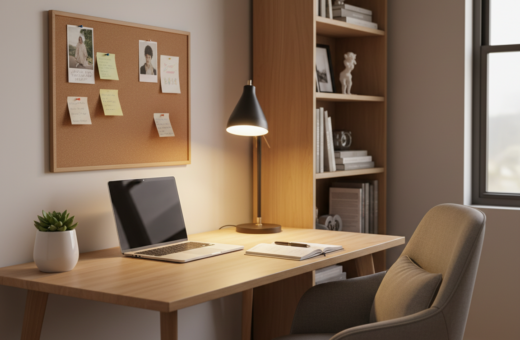
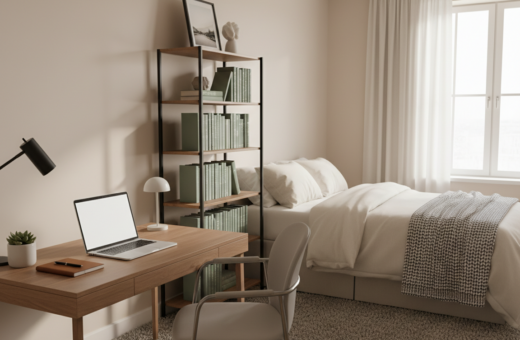
He describes how transforming a home office into a focused work area began with a single rule: keep only what is useful. The Nielsen Norman Group notes that having high-frequency tools visible cuts the mental effort needed to find essentials, and this idea guided each decision.
He evaluated every item on the desk and removed distractions that did not serve a clear purpose. This process was not about creating empty space but about shaping an environment that supports deep focus.
Results came quickly: less time searching for documents, fewer interruptions, and more time spent on meaningful tasks. The new setup turned the office into a calm, efficient area for work and creativity.
In this guide, he shares practical steps and design choices that helped make the desk a sanctuary. The goal is simple: reduce clutter, keep key tools in reach, and build a lasting routine that supports concentration and mental clarity.
The Philosophy of Minimalist Workspace Productivity
He shifted focus by asking one question about every object: does this serve a purpose in my work? That simple rule guides how an office becomes an environment that supports clear thinking.
Defining Intentionality
Intentionality means choosing items that help complete a task, not filling space for its own sake. The Nielsen Norman Group notes that hiding essential tools raises mental effort and can cost hours over time.
The Cognitive Load Myth
Many people think an empty desk is the ideal. In reality, forcing every tool into drawers increases cognitive load and creates stress when papers or things are needed.
- Pick items with purpose: keep only what is used daily.
- Make essentials visible: reduce time spent searching.
- Design for your work: align the desk with personal goals and life demands.
“When people hide every tool, they increase cognitive load — the opposite of what a clean desk should do.”
For practical examples and ideas, see minimalist desk ideas.
Assessing Your Current Desk Environment
He starts by taking inventory of every surface and asking what truly belongs there. A clear review of the desk reveals which items help work and which create visual noise.
Count the papers, gadgets, and miscellaneous things on the desk. Note how often each item is used. Mark anything that sits unused for weeks.
Look around the room to spot wasted spaces and equipment that could be stored elsewhere. Check how natural light hits the setup and whether glare or dim corners affect mood.
- Identify cable bundles that no longer serve a purpose.
- Decide which zones of the office are clutter magnets.
- Plan simple ways to give every item a home.
Decluttering is not a one-off fix; it’s a process that saves time and clears the environment for focused work. For practical tips on how to organize your WFH desk, see organize your WFH desk.
“A short assessment of the space helps turn a crowded desk into a place that supports daily work.”
Selecting the Right Foundation for Your Setup
The first step was selecting a strong base—high-quality furniture that shapes how he moves and thinks during the day. A good foundation makes the room functional and inviting. It reduces distractions and supports the goal of clearer work sessions.
Choosing Quality Materials
Durable furniture pays off. The Faux Saddle Leather Adjustable Standing Desk (55″x23″) offers a refined surface and an integrated drawer for storage. That built-in storage keeps items off the desktop and gives every item a clear purpose.
The Importance of Desk Depth
The CCOHS recommends a desk depth of 60–80 cm to keep the monitor at arm’s length. This simple rule reduces eye strain and supports better posture. A deeper desk also creates usable space for analog work without crowding the monitor area.
Standing Desk Benefits
The L-Shaped Standing Desk with Accessories Set (60″x23″) suits creators who need expansive space. A standing option lets him alternate postures and stay alert through long work days.
- Built-in storage minimizes clutter and removes the need for extra shelves.
- Quality furniture is a long-term investment toward the goal of a clean, functional office.
“Choosing the right foundation is the most important step in creating a setup that feels professional and lasts for years.”
Strategic Decluttering Techniques
He treats decluttering as a monthly habit rather than a one-time chore. This simple step turns a messy desk into a calm workspace that helps reduce daily stress.
Evaluate papers and items each month. Keep only what supports current projects at home or in the office. Toss or digitize old papers and put things you rarely use into labeled storage.
Find a specific place for every item. When every pen, charger, and file has a home, people save time and avoid frantic searches. This small change pays off over hours and days.
- Dedicate a few hours monthly to remove junk and reorganize drawers.
- Prioritize quality over quantity—choose furniture and storage that last.
- Clear surface papers so the desk feels open and ready for work.
“Consistent decluttering keeps the space calm and supports clearer thinking.”
Mastering Cable Management
He noticed tangled cords were the single, silent distraction stealing minutes each day. Tackling wiring is a key step toward a calmer office and clearer thinking.
Tools for Hidden Wiring
Use high-quality cable trays, adhesive clips, and magnetic ties to route power and monitor cords out of sight. A mounted tray under the desk hides power strips and keeps the floor clear.
Good storage boxes with ventilation work for spare chargers and small items. Label cables so a quick swap takes seconds and saves time.
- Install a tray or raceway under the desk.
- Bundle cords with magnetic ties for easy access.
- Give each computer cable a fixed spot to reduce clutter.
“Hiding cables is a simple, lasting way to make the space feel intentional.”
Regular maintenance keeps the system tidy. With good cable management, the workspace and desk look professional and the user spends less time fixing messes and more time on meaningful work.
Optimizing Your Reach Zone
He trims surfaces so the things he touches each day are quick to grab and easy to return. This small habit saves time and reduces visual clutter.
Keep only core tools on the desk: computer, mouse, a notepad, and a single plant for calm. Every item in that area should serve a daily task.
Store extra papers and supplies in nearby storage furniture. That way the primary surface stays clear and the room feels more intentional.
- Place items by frequency: most-used nearest the hands.
- Consider light: position the setup so task lighting is even and glare is minimal.
- Give every thing a place: if it has no purpose, move it out of reach.
He treats the reach zone as the most important part of the workspace. When each object has a clear purpose, the office supports longer, focused periods of work.
“A curated reach zone turns the desk into a place that helps you do the work that matters.”
Integrating Ergonomic Principles
He reworked the room so the body could move without strain and every tool fit naturally.
Good monitor positioning reduces neck and eye strain. OSHA recommends the top of the screen sit at or slightly below eye level. This small change helps the computer feel like a natural extension of the body.
Monitor Positioning
Place the monitor an arm’s length away and tilt it slightly back. Keep the top of the screen at eye level to prevent forward head posture.
“The top of your monitor should be at or slightly below eye level.”
Alternating Posture
Cornell’s Ergonomics Web suggests switching between sitting and standing every 30–60 minutes. Alternating posture avoids static strain and keeps the body engaged during long work sessions.
- Design the desk so furniture supports healthy posture.
- Choose items that serve a purpose and reduce unnecessary reach.
- Add a small plant to the setup to make the office feel grounded.
Result: a practical environment that looks clean and supports long hours of focused work.
Maintaining Your Minimalist Mindset
The real work of minimalism happens in habits, not big weekend cleanups. He clears the desk each evening so the morning starts with a clear space and less stress.
He revisits the room each week to confirm every item still serves a purpose. This quick check keeps cable management intact and prevents hidden clutter from returning.
Simple rules hold the system together. He follows the one-in, one-out rule for new things and keeps a small plant and soft light nearby to maintain calm.
- Set a five-minute end-of-day routine to tidy the desk.
- Inspect cables and standing desk function monthly for proper maintenance.
- Practice regular decluttering so the office stays a place for focused work.
“Consistency in small acts protects time, reduces stress, and makes room for the work that matters.”
Conclusion
Small, steady edits to the desk led to measurable gains in how he used his hours.
Decluttering turned the home office into a calm space that supports real work. By choosing only the items that serve a purpose, he cut visual noise and saved time.
Minimalism is not about having nothing; it is about keeping the right things. Consistent cable care and simple maintenance prevent clutter from returning and protect the gains he made.
The benefits are clear: a cleaner environment, fewer interruptions, and more time for meaningful tasks. Embrace the new setup and let the office help you focus on what matters most.