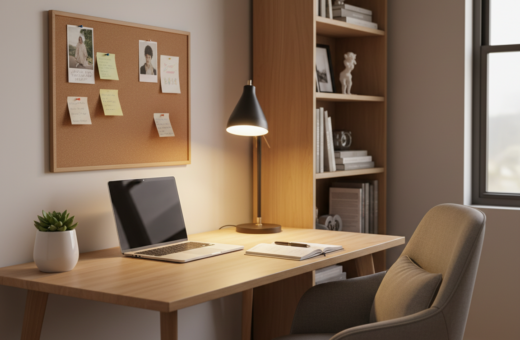
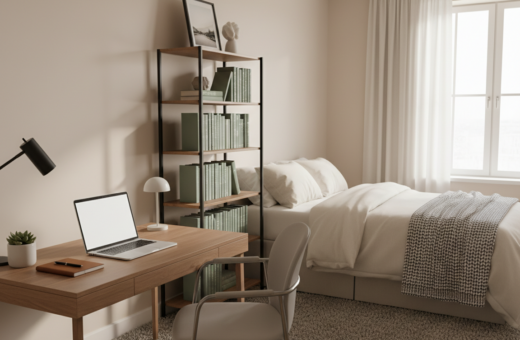
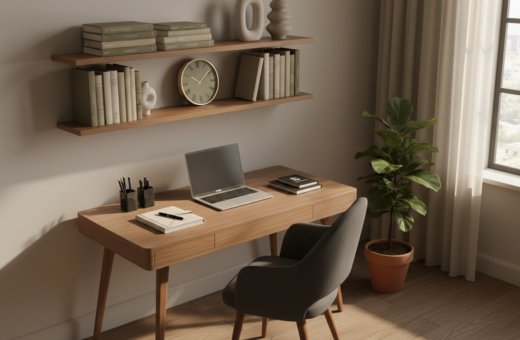
This guide outlines a realistic deep work setup small apartment strategy to help people keep focus despite daily household interruptions. It opens with simple, evidence-backed steps that fit a tight living area.
Many people find their home workspace by accident. Buffer found 22% of remote staff feel they cannot unplug. Davis et al. reported new aches from makeshift desks and laptops on kitchen tables.
Start by tracking one day of focus blocks. See how many 30-minute sessions are realistic. Then remove visual clutter from the desk to reclaim attention.
Adjust monitor height to prevent neck strain. Improve lighting and set a consistent routine. These steps boost productivity and make the home office a true place for focused hours.
Understanding the Challenges of Remote Work in Small Spaces
Living and earning a living under one roof can blur where the day ends and the night begins. That blur harms routines and makes it hard for people to shift into and out of professional hours.
Boundary Blur
The lack of physical separation turns a living room or studio into a constant reminder of pending tasks. Buffer’s State of Remote Work (2023) found 22% of respondents feel unable to unplug, which drains mental energy and reduces focus during the day.
Ergonomic Neglect
Improvised positions add up. Research by Davis et al. (2020) links makeshift arrangements to higher rates of lower back and neck pain among those working home. These aches accumulate when a room doubles as an office for long hours.
- Shared spaces lack separation, increasing interruptions.
- Poor posture and temporary furniture create lasting strain.
- Finding a clear way to protect personal time is essential for sustained productivity.
Defining Your Deep Work Setup Small Apartment
Choosing a single corner at home makes focus easier to start and end. Designating one desk and a consistent place helps the brain link that furniture to professional tasks instead of leisure.
In a studio or one-bedroom, a low bookshelf or a thin wall can create a visible divide without major renovation. Partitioning a room with a shelf or curtain forms a private workspace that feels separate from living areas.
Keep the desktop clear by using vertical storage such as wall shelves, drawers, or compact storage towers. Functional furniture that justifies its footprint improves productivity and preserves floor area.
“A dedicated place reduces daily decisions and frees mental energy for actual tasks.”
- Pick a corner in the living room or behind the couch for an underused area.
- Use one reliable desk and position it against a wall to save space.
- Prioritize storage and sleek design to keep the office professional yet compact.
Ergonomic Foundations for Limited Square Footage
Good ergonomics keep pain from becoming the daily cost of working at home. Clear choices about furniture and layout protect posture and make the office feel intentional rather than improvised.
The Importance of Chair Selection
Selecting the right chair is the most important ergonomic decision for a home office. Quality chairs often last a decade and reduce the chance of chronic back and neck problems.
Look for adjustable lumbar support, seat depth options, and durable construction when space and budget are limited.
Desk Height and Stability
A stable desk prevents wobble that breaks concentration. A 48” x 24” surface is a reasonable minimum for a monitor-plus-laptop arrangement and leaves room for storage.
Many people prefer an adjustable standing desk for flexibility and to shift posture across the day.
Monitor Positioning
Set the top of the monitor at eye level to avoid neck strain. Proper screen height and clear desktop space support neutral wrists and better comfort.
- Keep the desk clear with vertical storage to protect arm alignment.
- Integrate task lighting so the monitor does not force awkward, glare-prone postures.
- Choose furniture that balances stability and compact design for shared rooms.
Lighting Strategies to Enhance Focus
The right balance of daylight and lamps helps people stay alert and prevents eye strain. Position a desk near a window so the view and natural light aid attention restoration, as Kaplan and Kaplan (1989) noted.
Balancing Natural and Task Lighting
Aim for ambient light around 300–500 lux for general office tasks. Add a quality desk lamp to reach 500–750 lux for detailed work with a laptop or documents.
Use cooler color temperatures (about 5000–6500K) during core hours to support mood and alertness. Cooler light reduces drowsiness and helps maintain productivity.
- Layer ambient and task lighting so the monitor is clear without glare.
- Place fixtures to avoid reflections on the monitor and to prevent harsh shadows on the desk.
- Consider wall-mounted lights in a studio to save space while brightening the room.
Practical tip: combine a window-side desk, a bright task lamp, and a neutral overhead source to create a distinct home office place that feels professional and comfortable.
Managing Visual and Acoustic Distractions
Managing what you see and hear at your desk preserves attention and reduces mistakes.
Visual clutter in the home office competes with working memory. McMains and Kastner (2011) show that too many items on a surface drain cognitive capacity.
Keep the desk clear of non-essential items. Use vertical storage for a laptop, documents, and chargers to free horizontal space.
Sound matters as much as sight. Banbury and Berry (2005) found intermittent speech is a top cause of disruption. Noise-cancelling headphones help when others are nearby.
- Choose a simple background for video calls to look professional.
- Add rugs or a curtain on the wall to absorb echoes.
- Group frequently used items in one drawer to limit visual triggers.
“A tidy desk and calm acoustics make the office a reliable refuge for focused hours.”
Establishing Boundaries in Shared Living Areas
A few visible cues can cut interruptions and protect concentrated time in a shared room.
Clear signals and routine transitions are essential when several people use the same living space. They help the household know when the workspace is active and when the day has ended.
Physical Signaling Methods
Use simple markers to show availability. A “do not disturb” sign, a lamp on the desk, or headphones on the chair say that the desk is occupied.
Place a narrow divider or a sofa-back as a visual wall near the desk. Even a folded screen or a tall plant creates a clear place in a studio or living room.
- Set a visible sign for work hours.
- Reserve the corner and its furniture as the official workspace.
- Keep essential storage by the desk to avoid leaving the area during core hours.
Temporal Transition Rituals
Agree shared work hours so interruptions fall outside focus periods. A short walk or a fixed morning routine helps mark the start of the day.
At the end of hours, clear the desk and switch off the lamp. That ritual signals the place is free and lets everyone shift back to living time.
Budget-Friendly Upgrades for Your Workspace
Affordable upgrades can turn a tight corner into a productive office without breaking the bank.
Start with a quality used chair and a stable desk. A durable chair protects posture and outlasts cheap alternatives. A solid desk keeps the monitor steady and cuts distractions from wobble.
Improve lighting with a basic desk lamp to reduce eye strain and lift productivity. Place the desk by a window to use natural light when possible.
- Use vertical storage and tidy drawers to remove clutter and free floor space.
- Add cable management to make the area feel larger and more organized.
- Consider a standing desk converter to vary posture across the day.
Refurbished monitors and a dedicated webcam boost video calls and daily comfort for a low cost. Simple desk accessories and smart layout choices create a professional home office that supports longer hours.
For more practical home office upgrades, check affordable ideas that match a compact design and realistic budgets.
Conclusion: Building a Sustainable Productivity Environment
A reliable home office grows from steady habits as much as from gear. Maintain a clear workspace and treat the area as daily infrastructure to protect time and productivity in the living room or room used for work.
Prioritize ergonomic furniture: a quality chair and a standing desk help sustain comfort across long hours. Keep the desk tidy, add sensible storage, and use lighting and natural light to set a productive mood.
Consistency matters. Set regular work hours, defend those periods, and refine the design and setup over time. With intention, a compact apartment can support professional success when the home supports healthy routines.