The median new apartment in the United States is about 1,000 square feet, says the National Association of Home Builders. Many professionals live in units where every square foot must pull double duty. This makes creating a calm workspace a real challenge.
A cluttered surface often traces back to layout choices that ignore how furniture and traffic flow interact. By rethinking how they use the area, people can carve out a focused home office that feels intentional, not tacked on.
This article shows how one simple change in the setup can cut visual noise and boost focus. It will cover smart solutions for making the most of limited space and help readers reclaim living areas while keeping a professional tone for daily work.
Why Most Tiny Room Work Areas Feel Cluttered
Limited floor area means a single misplaced piece of furniture can make an entire work area feel chaotic. This problem is often rooted in layout choices that ignore traffic flow and storage needs.
Impact of poor layout
The Impact of Flow and Fit
A poor layout in a bedroom or living room frequently forces one to place a desk where it blocks movement. Standard desks and desks that are too large reduce usable space and make other furniture feel crowded.
How Clutter Undermines Focus
Visual clutter raises stress and lowers productivity. When a workspace bleeds into living areas, it becomes harder to switch from work to rest.
- Failing to use vertical storage wastes valuable space and surface area.
- Multi-use furniture helps integrate a home office without overwhelming the living room.
- Clearing the work surface with effective storage creates a clear mental boundary between tasks and downtime.
Assessing Your Available Square Footage
Knowing the exact square footage available lets professionals choose work surfaces that fit and function. With the median new apartment in the U.S. near 1,000 square feet, careful measurement prevents surprises when carving out an office zone.
A functional workspace typically needs at least 42 to 54 inches of width and 20 to 24 inches of depth. These dimensions give room for a monitor, essential tools, and chair movement without crowding the surrounding area.
- Measure total floor length and mark the usable space before buying any furniture.
- Account for door swings, window clearance, and the location of outlets to avoid layout issues.
- Map adjacent spaces so the new setup does not dominate the living area.
- Confirm that any chosen desk model fits within your measured footprint to preserve flow.
By mapping precise square footage and planning, they can select a desk that supports a practical home office without overwhelming the room. Accurate measurements save time and money and ensure the workspace integrates smoothly into daily life.
Essential Small Room Desk Positioning Ideas
Maximizing usable surface while keeping traffic clear is the most practical way to build a focused workspace. The following setups suit compact apartments and balance form with function.
Wall-Mounted Solutions
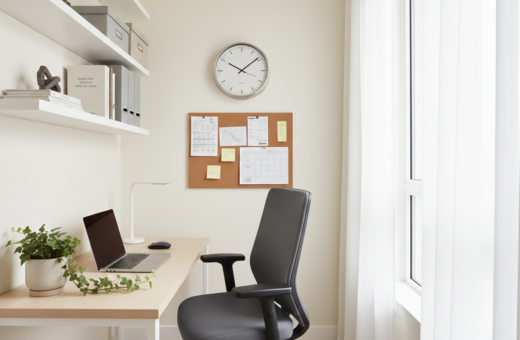
A wall-mounted table frees up valuable floor space and creates a sturdy work surface for a laptop. Add a narrow shelf above for books and supplies to keep the primary surface clean.
Window Sill Setups
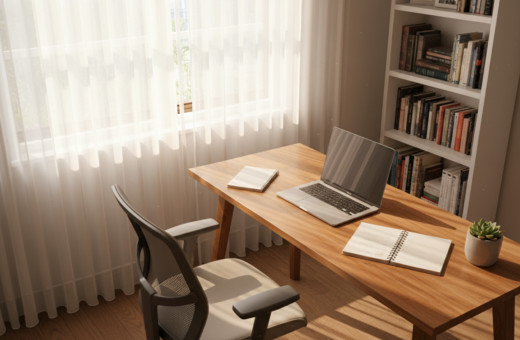
Placing a compact table near a window brings natural light and a mood lift. Aim for at least 30 inches of clear floor behind the chair so standing and movement feel easy.
Closet Conversions
Standard closets are typically 24 inches deep, making them ideal for a hidden work zone. A shallow shelf, cable pass-through, and vertical storage convert the space into a tidy home office.
- Wall desks save floor area and suit tight layouts.
- Window placement boosts focus with daylight.
- Closet conversions hide work tools at day’s end.
For more compact desk inspiration see 35 brilliant desk ideas.
Maximizing Vertical Space for Storage
Stacking storage vertically transforms tight footprints into efficient, organized work zones. This approach keeps the primary surface clear and supports a focused workflow.
Wall-Mounted Shelving
Installing shelves above the workspace lets one store books, plants, and supplies without crowding the floor. A single floating shelf often changes the look and feel of the entire area.
Effective storage is the foundation of a productive setup. By planning vertical elements, everything needed for work stays within reach but out of the way.
- Use open shelving for frequently used items to reduce visual clutter.
- Mix closed bins and trays to hide paperwork and keep the desk surface clear.
- Choose sturdy units that match the room’s design for a cohesive look.
When professionals maximize vertical space, the area feels more open and functions better across multiple spaces.
The Benefits of Floating Desk Designs
Mounting a work table to the wall instantly frees up floor space and clarifies the area’s purpose. This approach removes bulky legs and creates a clean, modern design that fits compact living.
A suspended desk gives a stable work surface for a laptop and daily tasks while keeping the area visually light. It defines a focused workspace without enclosing the rest of the room.
Floating units can be mounted at any height to match ergonomic needs. They also make cleaning easier since no furniture touches the floor, which helps maintain a clutter-free view.
- Maximizes usable space by freeing the floor.
- Customizable height for comfortable work.
- Stylish solutions that balance form and function.
Utilizing Underutilized Corner Real Estate
Corners often hide the best opportunities to expand usable work areas without altering the main living layout. Turning that dead angle into a focused office zone gives a clear boundary for tasks and helps reduce visual clutter.
Installing a compact corner desk creates an efficient area that feels enclosed and private. Many corner-friendly desks fit snugly against two walls and free up the center of the space for movement or seating.
- Add a narrow table or vertical storage next to the work surface to keep supplies handy without taking over the floor.
- Use the corner as a destination for focused work so other spaces remain multi-use and uncluttered.
- Choose one of the common desk ideas that matches scale and finish to make the corner the professional centerpiece of the home.
Choosing the Right Desk for Your Needs
A thoughtful selection of materials and mechanics defines whether a workspace feels professional or provisional. The right choice balances durability, ergonomics, and the available space.
Material Quality
Prioritize solid wood or high-grade plywood over particleboard. These materials stay rigid and last through years of daily work.
Wood surfaces resist sagging and hold finishes well, making them a better long-term investment. Good materials also support built-in storage without wobble.
Adjustable Height Features
Consider sit-stand options if long hours are common. Standard table height is 28 to 30 inches, suited for people from about 5’4″ to 6’0″.
Adjustable desks improve posture and let someone switch tasks with less strain. For a compact desk, prioritize a mechanism that is smooth and rated for daily use.
- Choice: Pick durable furniture that suits the intended surface load (monitor, laptop, accessories).
- Options: Look for integrated storage to keep the work area tidy.
- Design: Match finishes so the piece complements the rest of the room.
Ergonomic Considerations for Compact Setups
A well-planned ergonomic approach makes even a tight footprint feel functional and stable for long workdays. Comfort matters as much as aesthetics when someone converts living space into a productive workspace.
Ideally, the desk height allows elbows to rest at a 90-degree angle while they type. This alignment reduces shoulder strain and supports neutral wrist position during work.
Raising a laptop with a stand brings the screen to eye level and prevents neck fatigue. Pair that with an external keyboard and mouse so posture stays balanced.
Investing in an ergonomic chair can be as important as choosing the right desk. A chair with lumbar support and adjustable height helps the home office setup fit the user’s body rather than forcing the body to fit the furniture.
“Proper ergonomics in a compact setup increases comfort, reduces fatigue, and boosts productivity.”
- Measure: Ensure chair and surface heights work together for good posture.
- Adjust: Use a laptop stand or monitor riser to keep the screen at eye level.
- Invest: Choose a supportive chair to make daily work sustainable.
Managing Cables to Reduce Visual Noise
Tangled cords are one of the fastest ways to make a professional workspace look chaotic.
Managing cables is one of the most effective steps to clear visual clutter and keep a home office feeling calm. Use cable clips, sleeves, or a simple zip tie to bundle cords so they stay off the surface and out of sight.
Many modern desks include built-in channels or storage that route cords neatly. If a chosen table lacks those features, adhesive clips on the underside of the surface secure power and data lines and prevent tangles.
A clean setup improves focus and reduces stress during work. Hiding cables also protects equipment like a laptop from accidental pulls and keeps the area safe.
- Bundle cords with sleeves to minimize visible cables.
- Anchor power strips under the desk or behind a trim to free up the main space.
- Use labeled ties so cords are easy to change when needed.
Proper cable care is a small effort with outsized returns. By organizing cords, they maintain a tidy, inviting place to get daily tasks done and keep the professional tone of the office.
Incorporating Natural Light and Task Lighting
Natural light and targeted lamps together shape how a compact workspace performs each day. Positioning a desk near a window lets someone tap daylight for better mood and sharper focus.
When daylight is limited, a quality task lamp fills gaps. Place the lamp on the side opposite the dominant hand to cut screen glare and reduce shadows on paperwork.
Task Lamp Placement
Choose an adjustable lamp with variable height so light can be aimed at the work surface. Clamp-mount models free surface area and work well in a corner or against a wall if space is tight.
- Side lighting: Window light should come from the side to avoid reflections on the monitor.
- Adjustability: Use lamps that offer warm and cool settings to match task and mood.
- Combine sources: Pair natural light with a reliable task lamp to keep a home office bright at any hour.
“A well-planned mix of daylight and task lighting reduces eye strain and makes the setup feel more inviting.”
Selecting Space-Saving Seating Options
Choosing the right seating makes the difference between a cramped work spot and a comfortable, productive zone. A properly scaled chair supports posture, complements nearby furniture, and preserves usable floor space.
Folding chairs and slim-profile ergonomic seats work well in a tight home setup. They stow easily and reappear when needed. A stool for a standing table can slide under the surface so it does not clutter the area.
Some seating includes hidden storage—a clever way to keep papers and cables out of sight without extra pieces in the bedroom. Durable options in wood or metal last longer and match many finishes.
Height matters: pick a chair that adjusts so elbows rest near the table line and wrists stay neutral. When every piece must earn its place, choose a unit that is comfortable, compact, and easy to put away.
“Proper seating is the final piece of the puzzle for a workspace that fits the home and supports daily work.”
- Pick foldable or slim-profile chairs for flexibility.
- Consider storage-integrated seating to reduce extra furniture.
- Match materials and height to the compact desk and room scale.
Creating Visual Boundaries in Shared Rooms
A few visual cues can turn a corner of a living area into a professional-feeling office without major renovation.
Creating visual boundaries in a shared room helps separate work life from personal life in a compact home. Placing a desk against a wall or into a corner defines the area and minimizes distractions.
Use a rug to anchor the work area. A rug signals a different space and makes the setup feel intentional, whether it sits in the living room or bedroom.
If others share the room, add a low bookshelf or a folding screen to form a subtle barrier. These elements hide cables and supplies and create a sense of separation without building walls.
- Place desks so the seating faces away from busy parts of the room to improve focus.
- Choose wood finishes or neutral tones to make the area read as a cohesive office corner.
- Arrange furniture in a way that keeps daily routines distinct from work time.
Visual boundaries are a practical way to protect concentration and preserve a healthy work-life balance in shared living spaces.
The Role of Multi-Functional Furniture
A single well-designed unit can replace several items and keep a professional area uncluttered. In compact living, combining roles reduces the number of pieces needed and frees up usable space.
One common example is a table that serves as both a work surface and a dining spot. Another is a console-style unit with built-in storage that hides supplies when work ends.
Many modern design solutions integrate drawers, cable channels, and shelves into the work surface so tools stay accessible but out of sight. Choosing quality wood construction ensures durability for daily use.
- Dual-use: Pieces that serve both work and living tasks reduce clutter.
- Integrated storage: Built-in compartments keep supplies organized and professional.
- Durability: Wood finishes hold up better and elevate the home aesthetic.
“Smart, multi-functional furniture lets a person maintain a productive home office without sacrificing comfort or style.”
Maintaining a Minimalist Work Surface
The clearest path to focus is a surface that holds a laptop and little else. Keeping only essentials on the desk reduces decision fatigue and makes daily tasks feel manageable.
They should use wall-mounted storage and a corner shelf to move supplies off the main surface. This keeps the footprint tidy and preserves valuable space for active work.
At the end of each day, clearing the area signals a fresh start for tomorrow. A quick wipe-down and stowing of cords, notebooks, and pens lowers stress and improves concentration.
When someone owns a compact desk or a small desk in a multi-use room, every inch counts. Be intentional about what stays within reach and prefer simple, durable wood or metal organizers that match the home style.
- Keep the work surface clear except for the laptop and one notebook.
- Use wall or corner storage to free the surface for tasks.
- Clear and reset the area nightly to boost morning productivity.
Testing Your Layout Before Committing
A quick layout test reveals how traffic, light, and furniture interact before any final choice is made.
They should assemble a temporary work surface and try several positions. The UNFNSHED Modern Desk is a useful option for testing because it can be put together in under two minutes with no tools. This makes swapping locations fast and low-risk.
Try placing the unit near a window, in a corner, or along the side wall to compare light and flow. Check that the chair has enough floor clearance so it won’t hit other furniture during use.
- Test multiple spots: see what feels natural for daily tasks.
- Measure first: confirm the available area matches the product dimensions.
- Protect floors: lift wood pieces to avoid scratches when moving them.
Simple experimentation often leads to a more functional setup that balances productivity and the look of the home. Trying a few desk ideas before committing saves time and helps find the right long-term design.
Conclusion
With a bit of planning, even constrained living areas can host a professional, uncluttered workspace. The right solutions combine functional storage, compact desks, and good lighting to support daily focus.
They can pick a single desk that fits the plan and test its location before committing. Wall-mounted or foldaway options help keep the rest of the home free for living and rest.
These desk ideas balance form and function so the office feels intentional, not makeshift. A tidy setup improves concentration and makes workdays more productive.
Start small: prioritize a clear surface, cable management, and one reliable light. With thoughtful choices, any small space becomes a useful, professional home office that supports long-term goals.