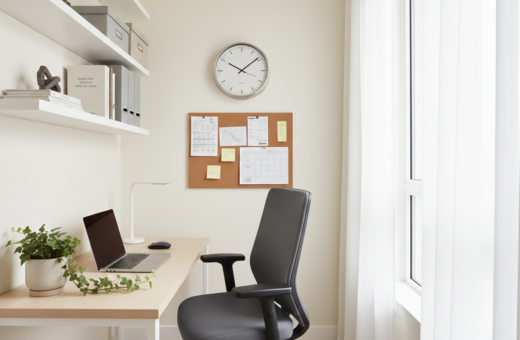
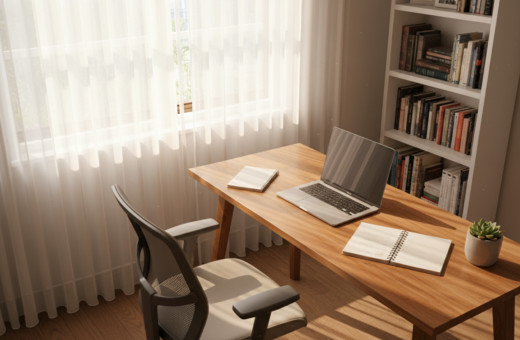
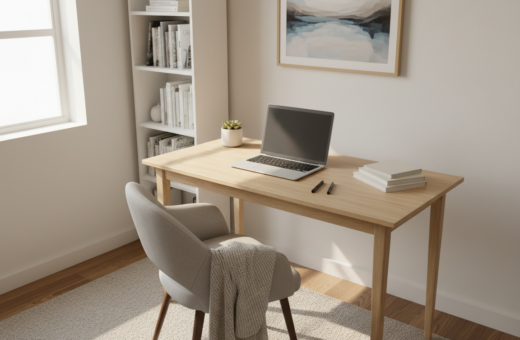
In a 400–600 square foot apartment, every piece of furniture must pull double duty to keep life organized. They chose a minimalist desk setup for small apartments that fits a tight footprint and stays flexible.
The right desk needs honest clearance numbers and quick reconfiguration options. A laptop workstation that measures 32 to 40 inches wide works well against a wall or in a corner.
Proper planning cut visual clutter and boosted daily concentration. The resident found that clear surfaces and a defined workspace make it easier to switch between tasks and relax after work.
This approach transforms limited space into a productive zone without taking over the main living area. Choosing a laptop-friendly solution that matches the apartment footprint keeps the home calm and usable.
The Philosophy of Minimalist Desk Setup for Small Apartments
When every square foot matters, designing a clear work zone protects concentration. In a studio, a dedicated home office often occupies just 8–12 percent of the living area, so each choice must add value.
Defining the Mindset
The approach centers on removing non-essential items and keeping only what supports tasks. This means prioritizing the quality of a desk and ergonomic tools over extra furniture. A pared-back room feels open and intentionally curated.
The Impact on Focus
Research shows that a defined workspace in a small space raises daily productivity and mental clarity. Experts note that a clean, organized office supports sustained concentration throughout a busy day.
“A tidy work corner reduces decision fatigue and helps people switch into productive mode.”
- Less visual clutter = faster task start-up
- Fewer items on a surface = longer focus spans
- Blending the area into the room keeps the home calm
Assessing Your Available Floor Plan
A practical floor plan begins with the space a chair needs, not just the desktop surface. They should mark an 18–24 inch clearance behind a desk so a chair can move freely and people can sit without crowding the room.
Placing desks against a wall or in a corner borrows room from two walls and keeps circulation paths open. In a 400–600 square foot apartment, this tactic preserves the main living area and keeps furniture from feeling stacked.
Many miscalculate by measuring only the top surface and forgetting the chair footprint. When assessing the area, consider how a work surface interacts with sofas, doors, and walkways so the home office does not block hallways or entries.
- Measure walking lanes to keep traffic flowing.
- Note clearances behind the chair and to adjacent furniture.
- Choose a corner if the goal is to borrow dual-wall support and reduce visual clutter.
Prioritizing Width for Daily Tasks
Choosing the right table width prevents a workspace from becoming a clutter magnet. Measuring horizontal space first keeps the area functional and preserves the living room. A well-sized surface lets people place a notebook, a cup, and essential items without crowding.
Laptop-only and single-monitor options
A laptop-only arrangement works best at 32 to 40 inches. That range fits easily at the foot of a bed or along a narrow wall. Many prefer a compact desk in this span for daily writing and computer use.
External screens and dual monitors
For a laptop plus an external monitor aim for 42 to 47 inches. Dual monitor setups need at least 50 inches and often don’t fit a tight corner. Prioritizing width prevents the workspace from bleeding into walking lanes over time.
- 32–40 in: laptop-only, fits by a bed.
- 42–47 in: laptop + monitor, most people’s sweet spot.
- 50+ in: dual monitors—plan carefully.
Mastering Depth for Eye Comfort
Proper surface depth keeps eyes at a safe distance and posture steady during work.
A 24-inch depth is the practical target. It supports the 20 to 26 inches of focal distance recommended between eyes and screen. That range reduces strain and keeps vision steady through the day.
If the surface is shallower than 20 inches, the monitor sits too close. Many people notice significant eye strain by mid-afternoon when the screen is crowded. They should avoid that layout.
Using a monitor arm helps reclaim surface area while preserving the correct viewing distance for a laptop. It also frees room on the top so a chair can sit at the right position.
“Maintaining proper depth is critical to protect vision and posture during long hours.”
- 24 in: ideal focal distance and posture.
- Under 20 in: risks eye fatigue.
- Monitor arm: saves surface and aids comfort.
Utilizing Vertical Space with Shelving
Using vertical real estate turns a compact workstation into a fully functional office without widening the footprint. This approach keeps the surface clear and makes the most of a single wall and floor-to-ceiling area.
Wall Mounted Shelving
Instead of opting for a wider desk with bulky drawers, install wall-mounted shelves above the work surface. A few well-placed shelves hold books, supplies, and decor.
Advantages:
- Frees horizontal space and keeps items off the top.
- Creates a tidy, professional look in the room.
- Allows a narrow table to serve as a full home office.
Monitor Risers
A monitor riser lifts the screen to eye level and creates usable storage underneath. This effectively doubles the usable desk area and improves posture by setting the correct height.
A riser is a must-have item for a compact office. It stores a keyboard, notebooks, or small storage bins beneath the monitor. That extra space reduces clutter and keeps essential items within reach.
“Raising screens and shelving up the wall protects clear surfaces and extends functionality.”
Quick checklist:
- Choose sturdy shelving anchored to studs.
- Pick a riser sized for the monitor and laptop.
- Use bins or boxes on shelves to hide loose cords and small items.
These changes turn a modest area into a high-functioning workspace. With vertical shelving and a monitor riser, the desk setup stays organized and efficient without stealing more room.
Benefits of Wall Mounted Foldable Desks
A fold-down table mounted on a wall turns a patch of wall into an instant work area. It gives a reliable surface for writing or laptop use and disappears when not needed.
These wall-mounted desks are an effective solution when floor space is at a premium in an apartment. They create a dedicated place to work and then fold up to blend with decor.
Many options let residents shift a living area into a productive room in seconds. A folded unit keeps the floor clear and preserves the feeling of open space.
Practical advantages include quick transitions, lower visual clutter, and a compact table that supports daily tasks. Choosing a fold-down unit is a smart way to manage work and writing without crowding the home.
- Fast setup: opens and closes in moments.
- Space saving: clears floors and traffic lanes.
- Versatile use: supports laptops, notes, and light tasks.
Integrating Workstations into Existing Furniture
A console converted into a workstation blends utility with living-room style without adding bulk. A slim table can act as a work surface by day and a decor piece at night. This keeps the living area feeling like home while creating usable space.
Console Table Conversions
A narrow console works well behind a sofa or beside a bed to create a discreet home office. Hidden drawers supply essential storage and hide loose items to keep the surface tidy.
Choose multi-functional pieces so one item serves multiple needs. This is a smart way to save floor space and avoid buying dedicated furniture.
- Place the console near traffic lanes to keep flow open.
- Use shallow drawers to stash cables, pens, and a keyboard.
- Blend decor and function so the area reads as living space, not a workspace.
For practical examples and layout ideas consult this console desk shelves guide. It shows ways to convert common pieces into a compact desk without losing style.
“Multi-use furniture keeps a room flexible and ready at any time.”
The Versatility of Ladder Style Designs
A ladder-style desk folds vertical storage and a work surface into one slim, anchored unit. This design pairs a shelf and a small tabletop so the user gains storage and a clear surface in a single piece.
It leans against or mounts to the wall, which saves precious floor space and keeps a room feeling open. The open shelving and narrow profile stop a corner from feeling heavy.
These desks work well where multifunctionality matters. They let a resident stack books, a lamp, and a few supplies above the workspace without widening the footprint.
Because many ladder desks are airy and slim, they suit tight corners and modern interiors. They act as a stylish solution that maximizes every inch of wall while keeping the area tidy.
- Combines workspace and storage in one compact piece.
- Keeps the floor clear and preserves circulation space.
- Offers flexible shelving that adapts to different daily needs.
“A ladder-style approach turns vertical real estate into usable workspace without crowding the room.”
Choosing Unfinished Wood for Rental Flexibility
A blank wood surface is a practical canvas when people move often and need furniture that evolves. An unfinished table adapts to new wall colors without permanent changes, making it ideal in many apartments.
13-ply Baltic birch plywood is a structural-grade option that resists sag and warping. That reliability means a long-lasting desk that stays stable through daily use and moves.
Unfinished pieces let someone sand and refinish a surface between leases. They can paint, stain, or leave it raw to match a new home aesthetic. This keeps one furniture piece useful over time.
Tool-free assembly is another major advantage. A desk that snaps together without tools saves time and avoids scuffing floors when moving every 12 to 18 months.
“Choosing unfinished wood gives renters a flexible, durable piece that grows with changing design and life needs.”
- Durable material: long-lasting 13-ply birch.
- Customizable: sand, stain, or paint between moves.
- Move-friendly: tool-free options protect floors and speed reconfiguration.
Implementing Monitor Arms to Reclaim Surface Area
A flexible monitor arm pushes the screen upward and backward, freeing the main surface for actual work. This small change turns crowded tops into usable planes for a laptop and notes.
In a tight apartment, a monitor arm is more than a convenience — it is a practical solution that makes compact desks functional. Mounting a computer display opens the area beneath the screen so the user can add a small shelf or stash supplies.
This arrangement also helps maintain proper focal distance. Raising the monitor preserves eye comfort and posture without needing a larger surface. It improves ergonomics and keeps the home office feeling open and uncluttered.
- Reclaim space: move the screen off the top and free room for daily tasks.
- Improve ergonomics: set the monitor at eye level to reduce neck strain.
- Flexible use: the freed area works for a laptop, papers, or a small shelf.
“Reclaiming your surface area is key to maintaining a productive workspace in even the smallest places.”
Selecting Ergonomic Chairs for Compact Areas
Picking an ergonomic chair that tucks neatly under furniture keeps floors open and backs healthy. In a bedroom-based home office, a chair that slides beneath the desk or an over-the-bed table preserves circulation.
Measure clearance first: allocate 18–24 inches behind the chair to sit comfortably. If someone needs to stand and move freely, plan for 36 inches of space.
Choose a seat with adjustable height and lumbar support. An adjustable chair protects posture during long hours and improves overall comfort. Compact swivel models often fit tighter footprints while still offering ergonomic features.
Before buying, measure the available floor area so the furniture does not block walkways or overwhelm the room. A properly scaled chair reduces fatigue and changes how someone feels at the end of the workday.
- Clearance: 18–24 in to sit, 36 in to stand easily.
- Scale: pick a chair that tucks under or pairs with an over-the-bed surface.
- Adjustability: prioritize height range and lumbar support.
“The right chair can transform a tiny office into a lasting, comfortable workspace.”
Managing Cables to Reduce Visual Clutter
Tangled cords turn a tidy workspace into visual noise that interrupts focus. Simple cable channels or wall-mounted clips route power and data lines so a surface stays clear.
They should pick a table with built-in cable trays or mount a slim shelf to hide power strips and chargers out of sight. This keeps common items tucked away and protects the view from cords.
Keeping the area behind the chair free of loops reduces trip risks. Clips along the wall and under the table make the arrangement stable and easy to maintain.
- Use channels: route cords in one run to a power point.
- Hide power strips: place them on a shelf or in a small storage box.
- Label cables: quick swaps without hunting through drawers.
Well-managed cables make a home office look professional and boost daily focus. In short, cable control is a hallmark of a considered desk setup that values both aesthetics and function.
Incorporating Mobile Solutions for Dynamic Living
A rolling cart turns any corner into a temporary workspace that moves with the flow of the day. It keeps the main area open while letting people chase sunlight or quiet spots around the living room.
A compact table or portable cart gives a flexible desk setup that tucks away when guests arrive. It also offers hidden storage beneath a surface so supplies stay out of sight. Many use a laptop and a notebook on the cart when they write or edit without claiming a permanent corner.
Mobile options improve productivity by making it easy to shift posture and scene. Changing place can refresh focus and match tasks to light, sound, or company. The right design keeps the cart stable, and a locking caster holds it steady when needed.
- Quick hideaway: stows under a bed or behind a sofa.
- Chair clearance: pairs with seats that tuck neatly under the top.
- Versatile options: multi-shelf carts with locks and power access.
“A mobile solution ensures furniture works for you, not the other way around.”
Solution: pick a cart or portable table that matches room scale and daily routines. That way the home stays flexible and focused over time.
Leveraging Natural Light for Productivity
Placing a work surface beside a bright window can change how someone feels and performs all day. Natural light lifts mood and helps sustain focus during long periods of work.
Transforming a deep window sill into a mini desk makes the most of daylight. Positioning a desk near the window often removes the need for extra lighting during the day and makes the area feel larger.
When the workspace is well lit, people stay energized and concentrate longer. Natural lighting reduces eye strain and cuts fatigue compared with harsh artificial bulbs.
“Working in a bright, window-side place connects people to the outside while keeping the office professional.”
Quick tips to leverage light:
- Face the window when possible to reduce glare on screens.
- Use a narrow table or sill to keep the workspace tidy and unobstructed.
- Add a low-profile blind to control brightness without blocking daylight.
In short, arranging the home work area around natural light is a simple, high-impact way to boost productivity and make a compact office feel inviting.
Maintaining a Clutter Free Environment
Keeping everyday items out of sight preserves a room’s calm and helps someone focus when the workday begins. A clear surface makes it easier to start tasks and to step away without carrying visual noise into the evening.
They should clear the top of the desk at the end of each session. Stow loose cables, papers, and chargers in hidden storage so the living area reads as restful rather than work-heavy.
Choose each piece of furniture with purpose. A table with shallow drawers and wall shelves reduces the need for extra pieces and keeps circulation open in a compact apartment.
Good lighting and defined zones also help. When the light is right and surfaces stay clear, the body knows when to work and when to relax.
“A tidy space is a continuous practice, not a single action.”
- Put only essential items on the desktop.
- Use hidden trays and boxed storage to hide clutter.
- Pick multi-use pieces to reduce excess furniture in shared spaces.
Intentional choices about what stays on the desk setup make the whole home feel more peaceful and productive.
Conclusion
Smart choices in material, scale, and storage make a lasting home office. A focus on width, depth, and vertical storage turns tight corners into productive zones without overwhelming living areas.
They should pick durable materials like Baltic birch and measure chair clearance to protect posture. Keeping the surface clear and flexible helps the workspace adapt through the day.
With measured planning and a reliable desk, residents reduce visual clutter and create a calm place that supports long-term work goals. These steps deliver a comfortable, organized area that fits modern living in the United States.